
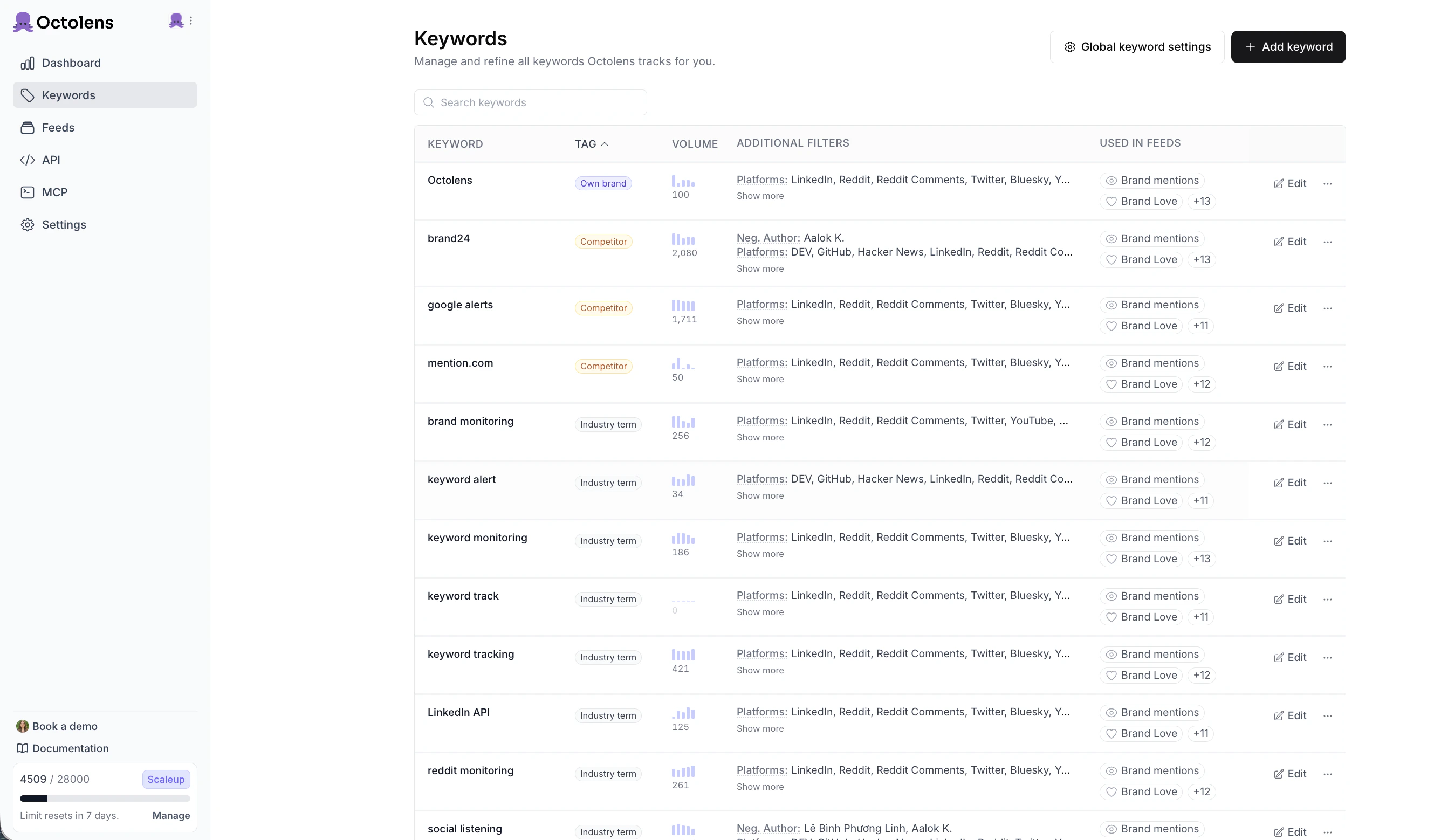
The Keywords page lists every keyword you track.
What to track
Most teams track three kinds of keyword, which match the three tags Octolens assigns:- Own Brand: your company and product names, like
Octolens. These matter most. - Competitor: companies you compete with. You’ll find complaints you can answer, launches worth reacting to, and features customers like. A post asking for “alternatives to [Competitor]” is a buying signal.
- Industry Term: words your audience uses for the problem you solve, even when they don’t name you. We track
social listening,keyword tracking, andsocial media monitoring. A project management tool might trackproject planning tool. These keywords surface people asking for recommendations or venting about pain points.
Add a keyword
Click + Add keyword on the Keywords page, enter the term, and save.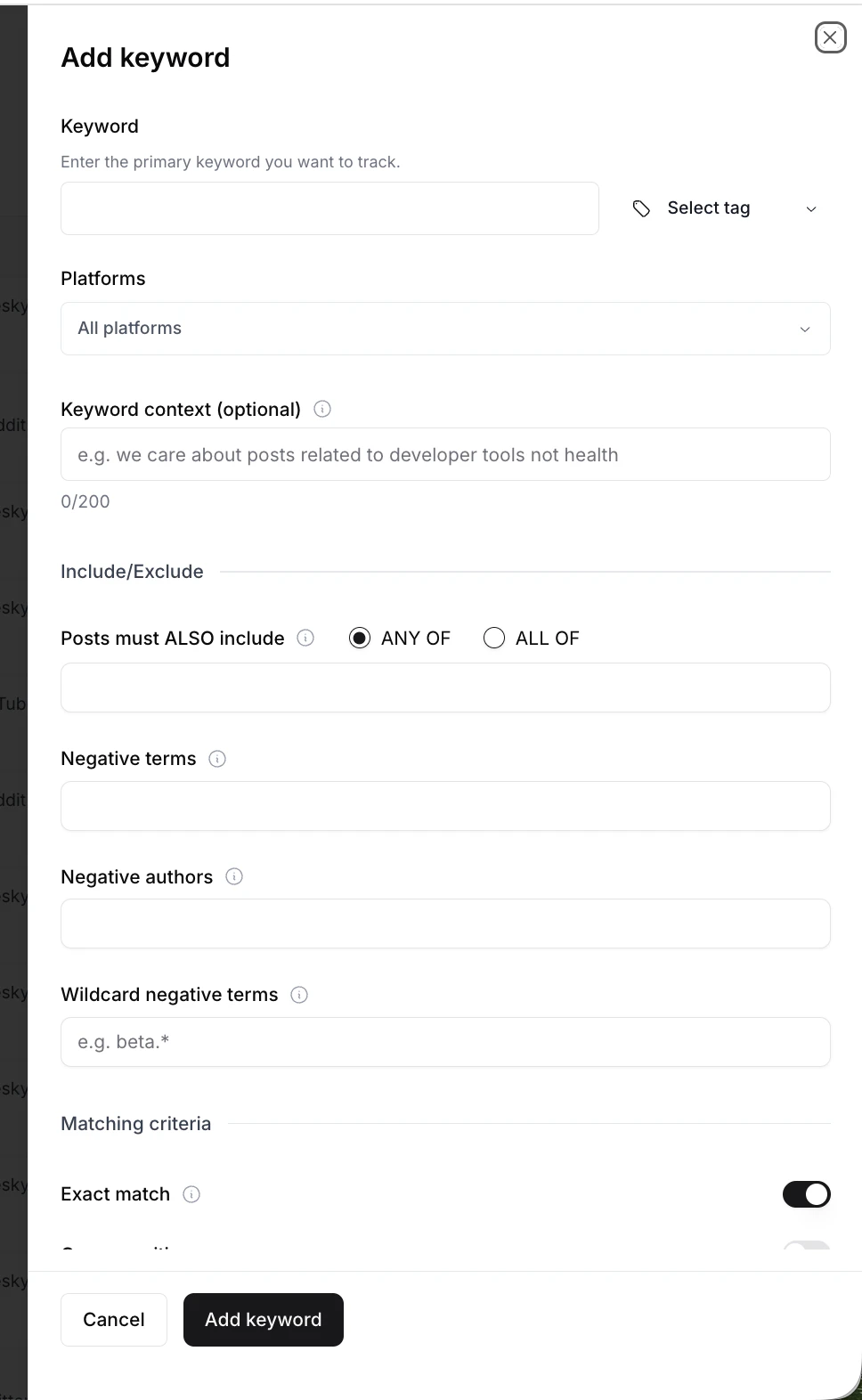
The Add keyword sheet.
- Assigns a tag (Own Brand, Competitor, or Industry Term) based on your company context. Change it in the Select tag dropdown or later in Keyword Settings.
- Pre-fills keyword context, negative terms, and “any of” terms if your keyword is also a common word (
Railway,Arc,Modal), so you catch the brand and not the noun. Review these defaults before you rely on them. - Matches common variants. For
octolens, you also getoctolens.com,@octolens, andoctolens's. - Looks back 7 days on each platform. Backfilled mentions don’t count toward your monthly quota.
Manage keywords
Each row shows the keyword, its tag, a volume sparkline for spotting noisy keywords, the platforms and include/exclude rules applied to it, and the feeds that use it. Use the search bar to find a keyword in a long list. Click Edit or ··· at the end of a row to:- Open keyword settings: change the tag, platforms, context, and include/exclude rules. See Keyword Settings.
- Pause the keyword: stop collecting new mentions while keeping existing ones in your feeds. Use it when you hit your mention limit or a keyword gets noisy.
- Delete the keyword: remove it and all its mentions. You can’t undo this.
Tips
- Be specific. Terms like “open source,” “strategy,” or “software” clutter your feeds and use up your quota.
- Iterate. No hits after a few hours? Broaden the keyword. Too much noise? Narrow it or add exclusions in Keyword Settings. Expect a couple of rounds.
- Check common-word defaults. Review the pre-filled context and negative terms. Case-sensitive matching in Keyword Settings also cuts most common-word noise.
Need more keywords?
Workspace admins can add Flex keywords on any plan from Settings → Plans & Billing. You pay monthly and can add or remove them any time. Your Plans & Billing page shows the current rate.Next steps
- Keyword Settings: platforms, context, and include/exclude rules per keyword, plus global rules
- Feeds: group mentions across keywords into saved filters