
Use cases
Sales
Close deals faster with more context from social posts.
Customer Success
Catch early signals to identify and mitigate churn risk.
Marketing
Analyze how prospects talk about your brand, competitors, and industry.
Growth
Generate new contacts from posts like “alternative to competitor X”.
How it works
The app adds two capabilities to your Attio workspace, each with its own connection (both shown in the Connections tab):- Workflow blocks — one trigger and two steps you compose into workflows yourself. Authenticated by the Workspace connection: an Octolens API key you paste once for the whole workspace.
- Octolens MCP — your mentions and keyword tools exposed to Attio’s AI features (the Custom Agent workflow block and Attio Ask). Authenticated per member by a Member connection over OAuth. See Octolens MCP in Attio.
- Pull (the two step blocks): the app reads your mentions from the Octolens REST API using the pasted key.
- Push (the trigger block): when you pick a view, the app attaches a webhook to that Octolens view pointing at an Attio-generated callback URL. Octolens then posts each new mention to Attio in near real time.
Octolens never holds an Attio token and makes no changes to your data on its own. Every write into Attio — create record, add note, send Slack — is a native Attio action you place in the workflow. You stay in control of every write.
Requirements
- An Octolens account (any plan).
- Admin access to your Attio workspace to install the app.
Setup
1
Create an Octolens API key
In Octolens, go to Settings → API keys and create a key with Read + Write scope.
- Read lets the app fetch your mentions (the two step blocks).
- Write lets the New Octolens mention trigger attach a webhook to the view you choose.
2
Connect the app in Attio
Install the Octolens app, open its Connections tab, and paste the key into the Workspace connection (see Connections below).
3
Add a block to a workflow
Add the Octolens trigger or any step to a workflow and configure it.
Connections
The app’s Connections tab has two sections, with different purposes.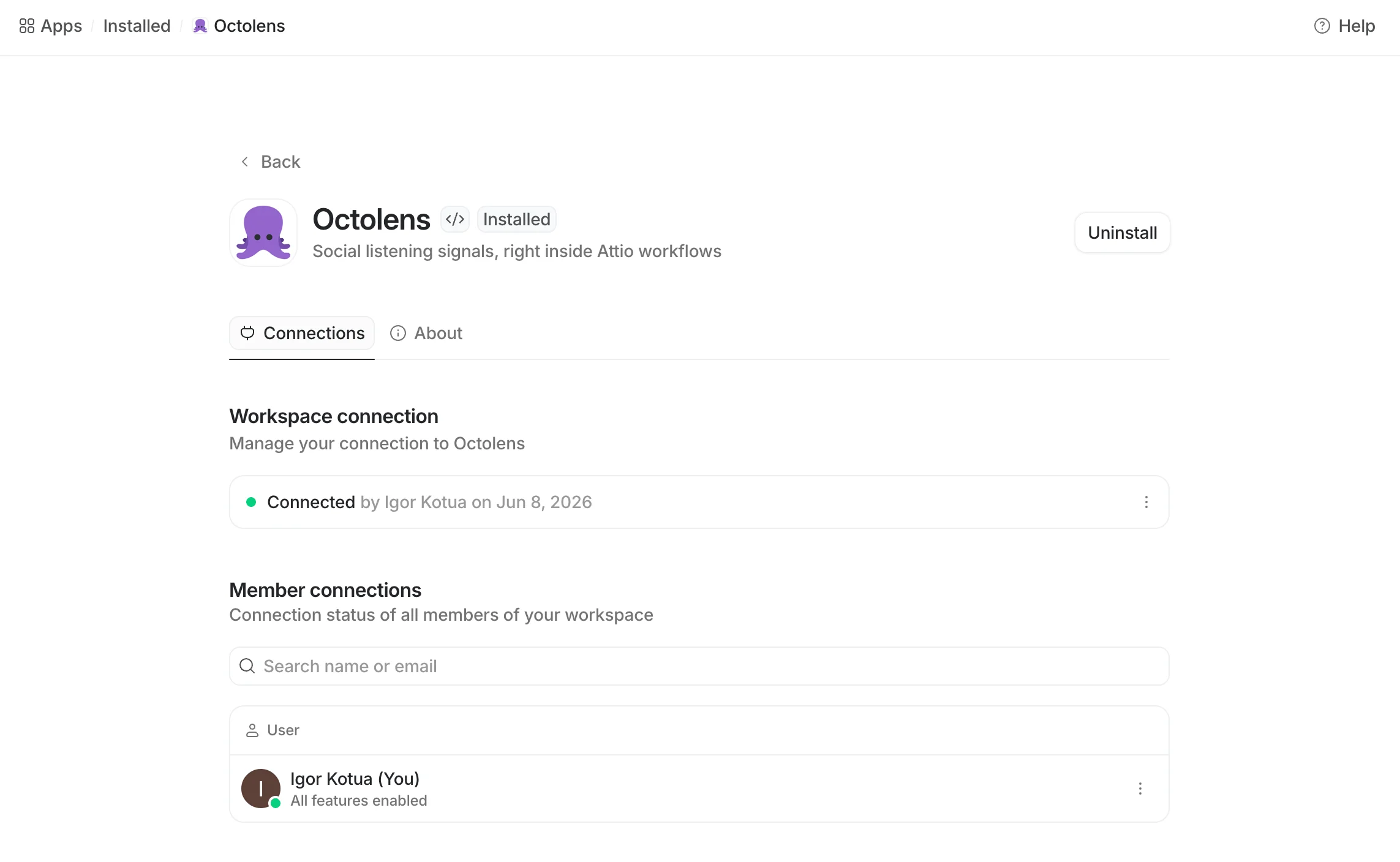
The Octolens app's Connections tab in Attio. Paste your API key into Workspace connection; members link Octolens MCP under Member connections.
Workspace connection
This is where the Octolens API key goes — paste your Read + Write key here. This one credential powers all three workflow blocks (the trigger and both steps) for the entire workspace.Member connections
Each member can link their own Octolens account to Octolens MCP over OAuth — there’s no key to copy, you just authorize. A member shows All features enabled once connected. This per-member connection is what powers Octolens inside Attio’s AI features — see Octolens MCP in Attio.Building blocks
Trigger: New Octolens mention
Starts a workflow every time Octolens collects a new mention in a view you choose.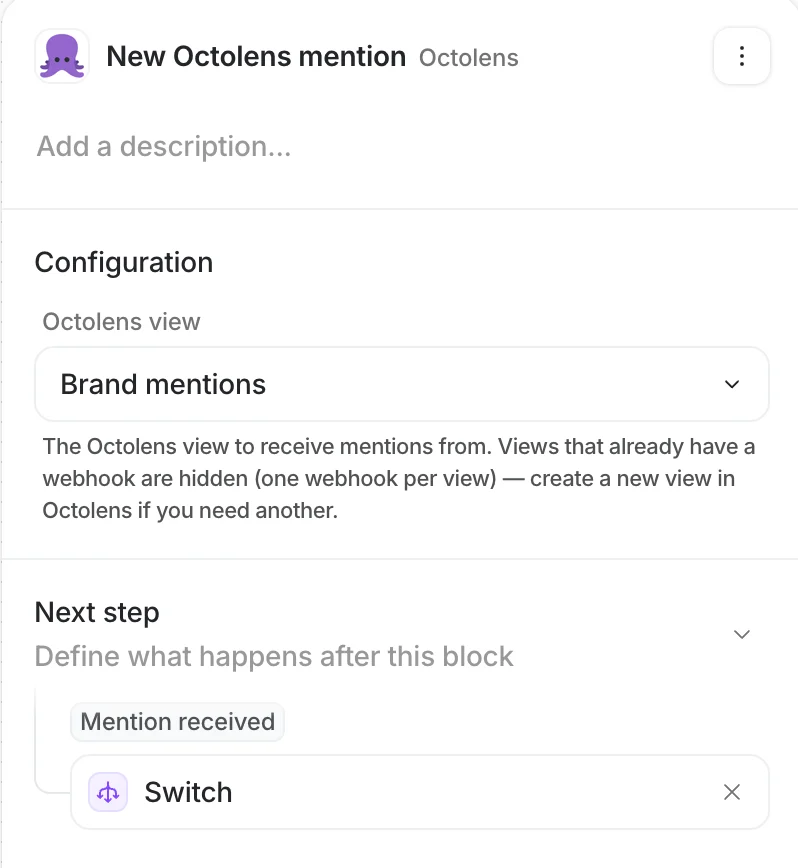
The New Octolens mention trigger. Pick a view; the mention is emitted to downstream steps.
- Octolens view — a searchable dropdown of your Octolens views (feeds). Views that already have a webhook are hidden, since a view drives one webhook. Create a new view in Octolens if you need another.
- When the trigger is activated, the app calls the Octolens API and attaches a
WEBHOOKdestination to the chosen view, pointing at the unique callback URL Attio generated for this trigger. - The webhook is registered with Instant delivery, so Octolens fires it right after each ingestion-and-scoring cycle — near real time, not on a fixed hourly schedule.
- Each incoming mention is de-duplicated by its source ID, so the same post never starts the workflow twice (even if delivered more than once).
- When the trigger or workflow is deactivated, the app removes that exact webhook from the view. Nothing is left behind.
Mention received — emits a single mention. All fields are strings.
Step: Get mentions by author
Fetches a person’s recent mentions by X handle and/or LinkedIn profile URL — map these straight from an Attio Person’s attributes. Provide either or both.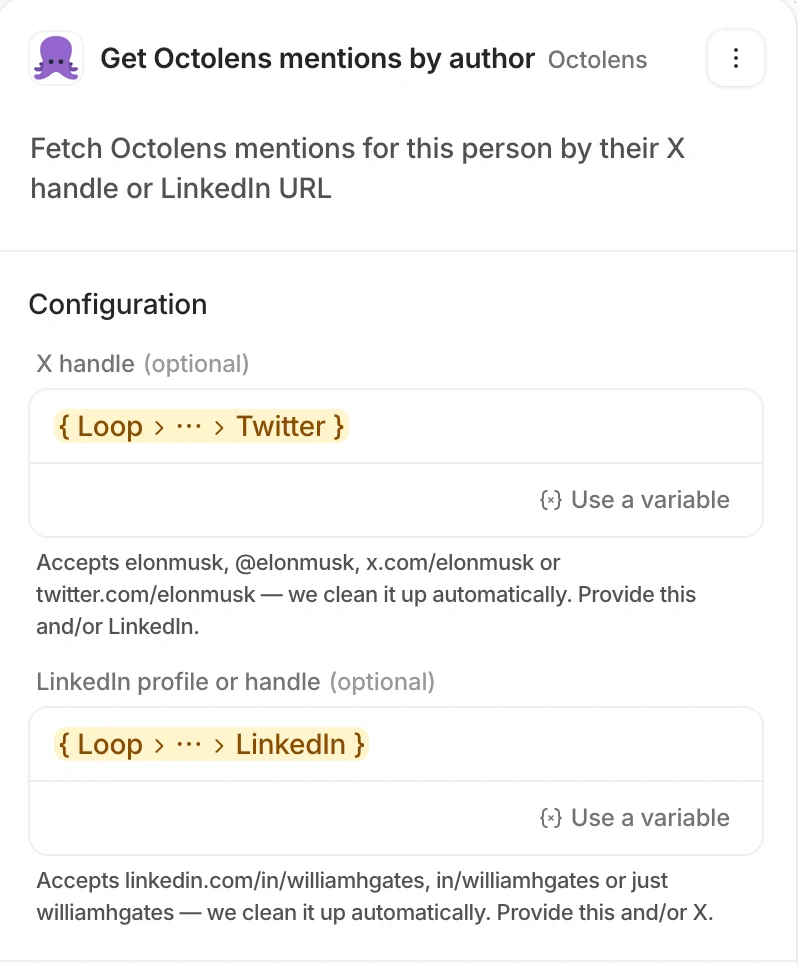
Get Octolens mentions by author. Map an Attio Person's X handle and/or LinkedIn URL straight into the inputs.
The step queries each identity against its platform (handle → X, URL → LinkedIn), merges the results, and de-duplicates by post ID. It returns up to 25 mentions per identity, newest first.
Output:
Mentions — see output shape below.
Step: Get mentions
Queries your mentions across the workspace by any combination of filters — the full simple-filter surface of the Octolens API. Every input is optional and AND-ed together; leaving everything empty returns recent mentions across the workspace. Configuration
Output:
Mentions — see output shape below.
Step output shape
Both step blocks return the sameMentions outcome: a count plus a list you can iterate over with Attio’s loop / map actions. Every mention field is a string.
Trigger vs. step field names differ slightly. The trigger emits a single mention with
authorProfileLink and a tags string; the steps return a list where the author URL is authorUrl and there is no tags field. If you build workflows that consume both, map them explicitly.Octolens MCP in Attio
Beyond the workflow blocks, the app exposes the Octolens MCP server to Attio’s AI features. MCP gives the AI live access to your Octolens tools — list and filter mentions, look up mentions by author, read keywords, and more — using a member’s own Octolens account. To enable it, a member links their account under Member connections (OAuth). Once connected, Octolens shows up in two places:- Custom Agent workflow block — set the agent’s Run As to a member who has connected Octolens, and the agent can call Octolens MCP tools as part of its reasoning. Run As must be a member (not the workspace), because MCP auth is per member.
- Attio Ask — connected members can ask about their Octolens data directly in Attio Ask, and it queries Octolens through MCP.
The MCP surface uses Member connections (per-member OAuth), independent of the Workspace connection API key that powers the workflow blocks. Each member who wants Octolens in the Custom Agent block or Attio Ask connects their own account.
Common patterns
From any block, use Attio’s native actions to create or find records, add notes to a contact’s timeline, send Slack or email, or branch on sentiment and intent tags. Two patterns cover most setups:Enrich an existing contact
On New Octolens mention, find a Person by the mention’s
author / authorProfileLink. If matched, add the post as a timeline note and update last-seen fields.Create a new lead
On New Octolens mention, branch on
tags containing Buy Intent. If present and no Person matches, create a new Person from the author and assign an owner.1
Trigger: New Octolens mention
Pick the view that holds the mentions you care about (e.g. a Buy Intent feed).
2
Find Person by social handle
Map the trigger’s
author to your Person’s X attribute, or authorProfileLink to LinkedIn.3
Branch on the result
Matched → add a timeline note with
body + url. No match → create a Person and (optionally) gate on a Buy Intent tag first.Security & data handling
- The Workspace connection API key is the only credential for the workflow blocks. Octolens never receives or stores an Attio token.
- Read scope is used for the two pull steps; Write scope is used solely to attach and detach the trigger’s webhook on the view you select.
- The MCP surface uses per-member OAuth (Member connections), scoped to each member’s own Octolens account — no shared key, and members connect (or disconnect) themselves.
- Octolens performs no writes into Attio. Every record, note, and message is a native Attio action you configure.
- Removing the trigger (or uninstalling the app) detaches the webhook it created from your Octolens view.
Next steps
API Reference
The same REST API the step blocks call, if you’d rather poll directly.
Webhooks
The underlying mention webhook payload the trigger is built on.
Feeds
How views (feeds) and their filters work in Octolens.
AI Relevance & Tags
What the sentiment and intent tags mean.