
Octolens fills in your company context automatically during onboarding based on your website. You can edit it at any time. From the moment you save, the AI uses the updated context when scoring new posts. Existing mentions keep their original scoring.
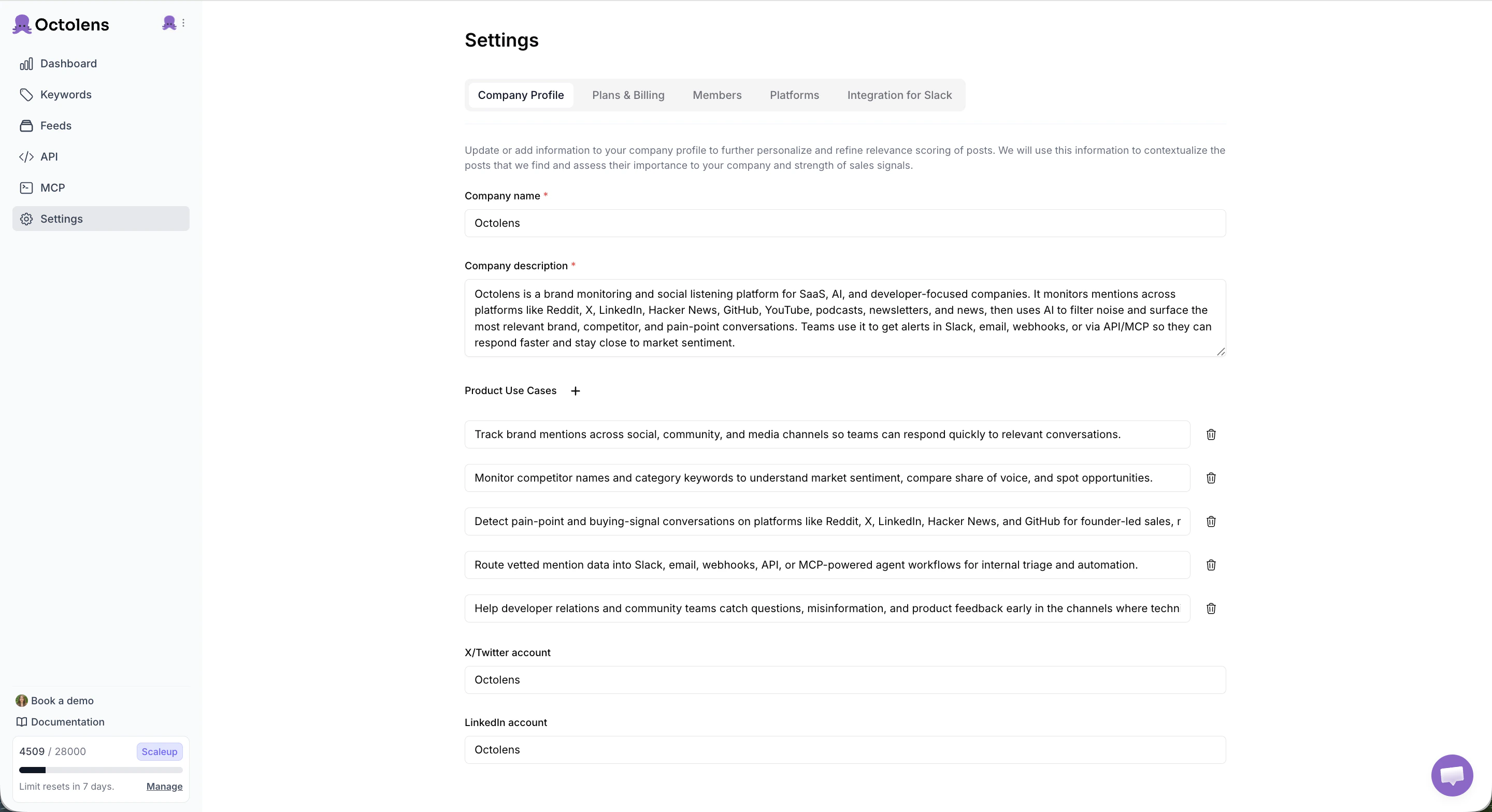
The fields that shape AI relevance scoring.
What to fill in
Company name and Company description are required. The rest is optional but recommended. The more context you give, the fewer irrelevant mentions you’ll see.Company name
Your company or product name as it appears publicly.
Example: Octolens
Company description
Two to three sentences covering what you do, how it works, and who it’s for. Go beyond your homepage one-liner and include your core use cases, the platforms or tech involved, and the outcome for users.Example: Octolens is a brand monitoring and social listening platform for SaaS, AI, and developer-focused companies. It monitors mentions across platforms like Reddit, X, LinkedIn, Hacker News, GitHub, YouTube, podcasts, newsletters, and news, then uses AI to filter noise and surface the most relevant brand, competitor, and pain-point conversations. Teams use it to get alerts in Slack, email, webhooks, or via API/MCP so they can respond faster and stay close to market sentiment.
Product use cases
A list of the main jobs your product does for customers. Click the + next to “Product Use Cases” to add each one as its own entry. Short sentences work better than a single long paragraph. Good use cases are concrete and outcome-oriented:- Track brand mentions across social, community, and media channels so teams can respond quickly.
- Monitor competitor names and category keywords to understand market sentiment and share of voice.
- Detect pain-point and buying-signal conversations on Reddit, X, LinkedIn, Hacker News, and GitHub.
- Route mention data into Slack, email, webhooks, API, or MCP-powered agent workflows.
X/Twitter account
Your brand’s X/Twitter handle without the@.
Example: Octolens
LinkedIn account
Your company’s LinkedIn slug, the part afterlinkedin.com/company/.
Example: Octolens