
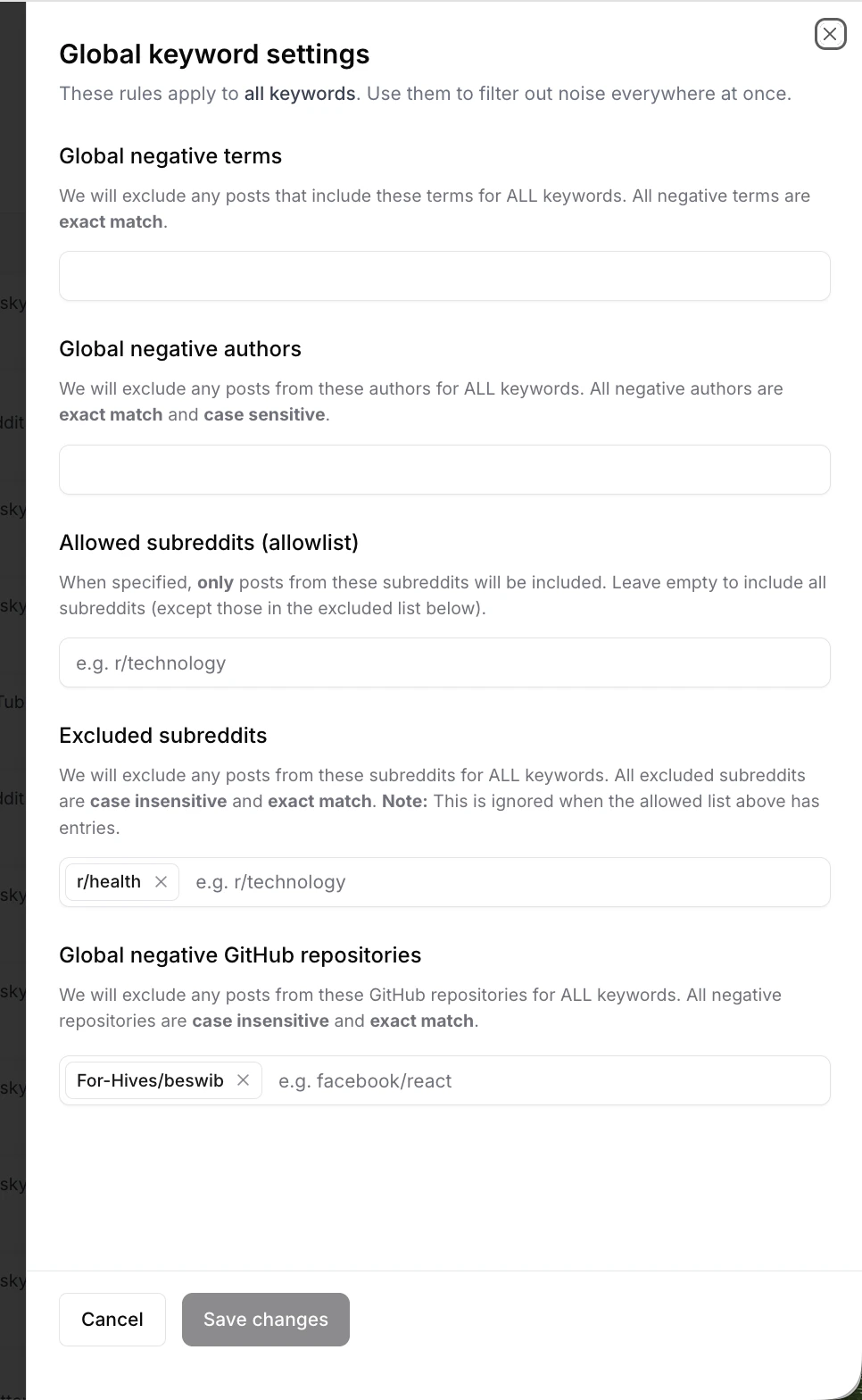
The Global keyword settings sheet, opened from the top right of the Keywords page.
How global settings combine with keyword settings
A post must pass both the global filters and the keyword’s own filters to land in your feeds. Global settings can only reduce results, they can’t expand them.Example. You addIf you want filtering that’s specific to one keyword, use Keyword Settings instead.r/healthto Excluded subreddits globally, and yourmental healthkeyword also has its ownbetanegative term. A post inr/healththat mentionsmental healthis excluded globally; a post inr/productivitythat mentionsmental health beta releaseis excluded by the keyword. Both filters apply, always.
Where to edit global settings
Open the Keywords page from the sidebar and click Global keyword settings in the top right. The settings open as a sheet over the Keywords page. This is the only place global settings live now. They no longer have a dedicated tab on the main Settings page.Available global settings
Global negative terms
Exclude posts that include these terms across all keywords.- Matching: exact match
- Input: one or more terms (comma-separated)
Example: job, hiring, careers
Global negative authors
Exclude posts from these authors across all keywords.- Matching: exact match, case sensitive
- Input: one or more author handles (comma-separated)
Example: Octolens, OctolensHQ
Allowed subreddits (allowlist)
When set, Octolens only includes Reddit posts from these subreddits, across every keyword.- Leave empty to include all subreddits (except those in Excluded subreddits)
- Format:
r/<subreddit>
Example: r/technology, r/startups
Allowlist overrides the excluded list. If Allowed subreddits has any entries, Excluded subreddits is ignored. Use the allowlist when you want a strict “only these subreddits” policy.
Excluded subreddits
Exclude Reddit posts from these subreddits across all keywords.- Matching: exact match, case insensitive
- Format:
r/<subreddit>
Example: r/health
Global negative GitHub repositories
Exclude posts from these GitHub repos across all keywords.- Matching: exact match, case insensitive
- Format:
owner/repo
Example: For-Hives/beswib, facebook/react
Allowed web domains (allowlist)
When set, Octolens only includes Web mentions from these domains across every keyword.- Leave empty to include all domains, except those in Excluded web domains
- Applies to the Web source only
Example: news.ycombinator.com
Excluded web domains
Exclude Web mentions from these domains across all keywords.- Use this for domains you do not want counted toward Web results
- Applies to the Web source only
Example: idea2.work
Minimum Domain Rating (Web)
Only include Web mentions from pages on domains with a Domain Rating at or above the selected threshold.- Default: 30
- Use Custom override to set your own threshold
- Applies to the Web source only
Saving changes
Global settings apply to new mentions going forward. Existing mentions in your feeds keep their original scoring.
Next steps
- Keyword Settings: per-keyword platforms, context, and include/exclude rules
- Feeds: organize mentions across keywords into saved filters
- Mention Limits: how filters affect your monthly quota