Brand Monitoring in 2026: B2B Brands Built in Public
How to track meaningful brand signals, avoid alert fatigue, and respond in time.
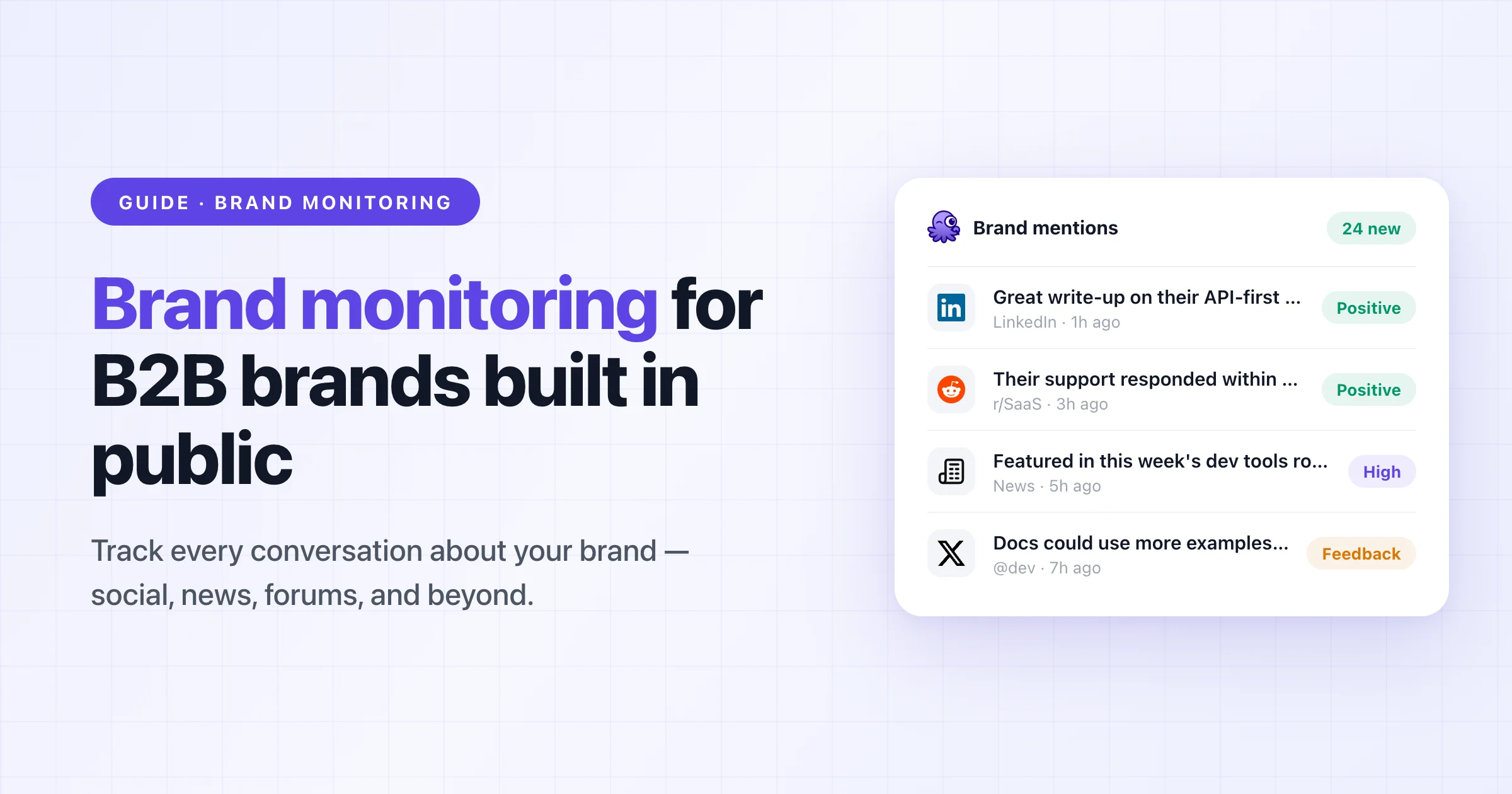
Brand monitoring is the practice of tracking mentions of your brand, products, and competitors across the public web — social platforms, communities, news, and forums — and turning the relevant ones into action. The goal isn't a report at the end of the month, but a signal that reaches the right team while the conversation is still happening.
This guide covers why that's become table stakes for B2B brands, why most monitoring setups collapse under their own alert volume, and what a setup that actually works looks like in 2026.
Over the last few years, B2B businesses — especially in technology — have undergone a quiet but fundamental shift.
Developer tools, infrastructure products, and AI software are now evaluated in much the same way as consumer products. What used to be shaped by analyst reports and gated research is increasingly decided in public: in threads on X, discussions on Reddit, or comment chains on Hacker News. 75% of all B2B buyers and 84% of executives use social media to make purchasing decisions [ IDC ].
As a result, what people say about your brand online often carries more weight than what you publish on your website, your social channels, or a carefully crafted white paper.
Perception is no longer shaped episodically through campaigns or announcements, but continuously — in conversations teams don't control. (How to measure that perception, and what to do when it turns against you, is its own discipline — we cover it in our guide to brand reputation monitoring.)
And those public conversations now have a second audience: the recommendation threads your buyers read are also being worked by your competitors. Ask a question about tools in any marketing subreddit and watch what happens — as one founder put it, replying to suspiciously enthusiastic product endorsements:
"this looks an awful lot like astroturfing by the Meltwater team... The odds that 2 separate human people say exactly 'used Meltwater during live campaigns' is basically 0..." — r/b2bmarketing
If vendors are actively working the threads your prospects read, then not knowing those threads exist puts you at a real disadvantage.
That shift is where brand monitoring starts to matter — and where most setups begin to fail. Monitoring social channels works when volume is low and teams can still read everything that comes in.
As soon as a brand crosses a certain threshold and starts receiving thousands of mentions each month, that model breaks down. Activity increases, but clarity disappears.
Alerts flood inboxes and Slack channels, yet no one knows what actually requires action.
Ownership blurs: product, marketing, and support all assume someone else is handling it.
Alert fatigue sets in quickly, channels get muted "temporarily," and important signals slip by unnoticed. Critical moments aren't missed because mentions weren't visible, but because they weren't interpretable.
By the time teams realize something matters, the conversation has already moved on — and with it their connection to what customers actually want.
Brand monitoring is not about awareness, it's about action. Its purpose isn't to count how often your brand is mentioned, but to detect meaningful signals as they happen. A brand mention only matters when it appears in context: inside a complaint, a comparison, a moment of confusion, or an active buying decision.
Outside of those situations, most mentions are just background noise. That's why brand monitoring only earns its place when it enables concrete workflows (i.e. escalation, response, clarification) rather than producing reports and dashboards.
When it works, alerts don't feel constant or overwhelming.
They feel rare, obvious, and hard to ignore, precisely because they point to moments that actually require action from your team.
Most traditional brand monitoring, media monitoring, and social listening tools fail at scale not because they miss data, but because they were designed for visibility, not decision-making. The same pattern holds across the social media monitoring tools we've compared: most are great at collecting and bad at deciding.
Their core model assumes that capturing everything and surfacing it in dashboards is sufficient.
At a small scale, that feels useful.
At a meaningful scale, it becomes counterproductive. These tools treat all mentions as roughly equivalent events.
As a result, they struggle to distinguish between a passing reference and a moment that requires intervention.
Context is flattened, conversations are fragmented, and teams are left to reconstruct meaning manually (if they have time at all).
Naive sentiment scoring makes this worse rather than better. Communities speak in sarcasm, in-jokes, and slang that keyword-level analysis reads exactly backwards:
"Someone saying 'this product fucking slaps' gets flagged as negative because of the language, but it's actually glowing praise. Context is everything on reddit." — r/digital_marketing
A sentiment model that can't read context doesn't just miss signals, it misroutes them: your team gets alerted about praise while polite but serious criticism goes through unnoticed.
Traditional tools are optimized for analysts and reports, not for teams that need to respond in real time.
Signals arrive without clear routing, priority, or responsibility attached.
Monitoring becomes observational rather than operational, producing insights that look valuable but arrive too late to change outcomes.
Finally, most platforms optimize for retrospective analysis.
They are good at telling you what happened last week or last month, but poorly suited for identifying what just changed.
By the time trends show up clearly in charts, the opportunity to respond early has already passed. For brands that are scaling, these design choices compound.
The problem isn't that teams lack tools - it's that the tools were never built to support fast, contextual decisions when reputation is being shaped in real time.
Coverage claims usually mean text coverage. But a growing share of brand conversation happens in video and audio — YouTube reviews, TikTok takes, podcast discussions — where most tools only catch a mention if it happens to land in a caption or description. An agency lead who has run monitoring for clients for years, on where every tool still falls short:
"the YouTube/TikTok video content analysis part is still pretty manual everywhere unless it's in captions or descriptions. if someone just talks about your brand without typing it, most tools miss it. that's the gap nobody has really solved well yet." — r/AskMarketing
When you evaluate a tool, ask the coverage question in exactly those terms: does it transcribe and search what's said, or only what's typed? (Transcribed podcast and video coverage is one of the gaps we built Octolens to close.)
Brand monitoring in 2026 starts with a different assumption: not everything needs to be seen, only what is likely to change an outcome. Instead of treating mentions as isolated events, modern monitoring looks for patterns forming across time, context, and sources.
This is where AI meaningfully helps - not by replacing judgment, but by reducing the surface area teams have to pay attention to.
AI can cluster related conversations, surface recurring themes, and flag shifts that would be impossible to spot manually at scale.
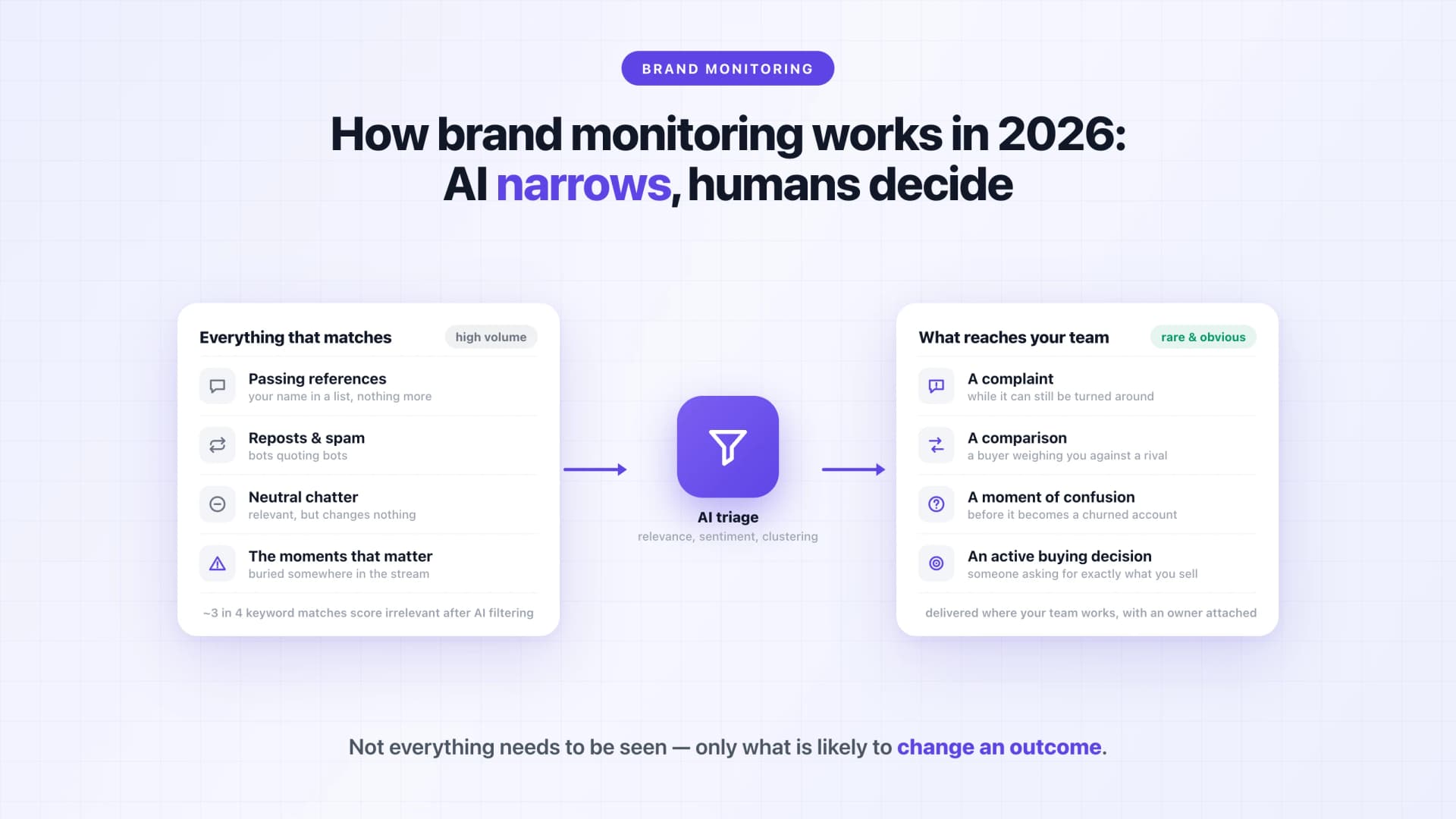 What it cannot do is decide what matters for your business or how to respond.
That responsibility still sits with humans. Practitioners who monitor communities for a living are blunt about where the line sits:
"the sarcasm, inside jokes, and context-heavy conversations make ai sentiment scoring basically useless. you need to actually read the threads to understand if someone's genuinely praising or shit talking your company." — r/digital_marketing
That's overstated as an absolute — modern relevance filtering is exactly what makes high-volume monitoring survivable — but the underlying point stands. AI's job is triage: deciding which ten threads out of a thousand deserve human eyes today. The reading, and the response, stay human.
When AI is used correctly, it acts as a filter and amplifier for signals, making important moments easier to recognize and harder to ignore - not by producing more alerts, but by narrowing attention to the few changes that actually require action.
There's one more reason the filtering layer matters now: your monitoring feed is increasingly full of machines talking. Marketers browsing recommendation threads notice it constantly — "It's crazy to see so many obviously AI generated comments." (r/seogrowth) A monitoring system that counts astroturf and bot replies as brand signal will happily alert you to conversations no human is having.
If you research this category, you'll also run into the term brand tracking, and it's worth understanding the difference, because the tools behind it come from a different world.
Classic brand tracking is survey research: platforms like quantilope, Kantar, or GWI run recurring consumer surveys — "which of these brands have you heard of?" — and measure awareness, consideration, and perception over time. That's genuinely the right method for one thing monitoring can't do: measuring the opinions of people who never post anything online. A consumer brand spending heavily on top-of-funnel advertising usually wants a survey tracker in the mix.
What's changed is that monitoring data now covers a lot of the same ground continuously. Mention volume against your baseline, sentiment ratio over time, and share of voice against competitors are brand-tracking metrics — measured from real conversations as they happen, instead of from quarterly survey waves. For example, when a launch or an incident moves perception, a survey tracker shows it weeks later in the next wave; an always-on feed shows the shift the same day, with the actual posts behind the number attached.
That's the practical way to think about it: survey-based brand tracking for the audience that doesn't post, and always-on brand tracking from real conversations for the audience that does. Octolens is built for the second kind — and for B2B and developer-facing brands, where buying decisions form in public threads rather than panel surveys, that's usually the signal that matters first.
Brand monitoring only works when it is embedded directly into your team's existing workflows.
In practice, effective brand monitoring consistently enables a small set of repeatable actions rather than generic awareness. Based on our experience, these are the five workflows where brand monitoring delivers the most value:
- Misinformation correction when inaccurate assumptions or outdated claims start to spread — a stale pricing screenshot circulating on X, or a "they don't support self-hosting" claim that stopped being true two releases ago. Fast, factual replies from a named human close these down; unanswered, they get repeated until they become the accepted truth.
- Product feedback escalation when recurring issues or confusion signal a real gap. This is how PostHog uses its mention stream: recurring product sentiment gets routed to the team that owns the fix, turning scattered public complaints into a prioritized signal.
- Competitive comparison response when buyers actively weigh alternatives in public conversations. "X vs Y" threads are the highest-intent mentions you'll ever receive — and as the astroturfing examples above show, your competitors may already be in them.
- Churn risk detection by surfacing public frustration before it reaches support or account management. A customer venting on Reddit rarely files a support ticket about the same problem — if you don't see the thread, you often don't hear about it until they cancel.
- Sales objection awareness so teams aren't surprised by concerns prospects have already discussed publicly — the pricing thread from last month is sitting in your prospect's browser history.
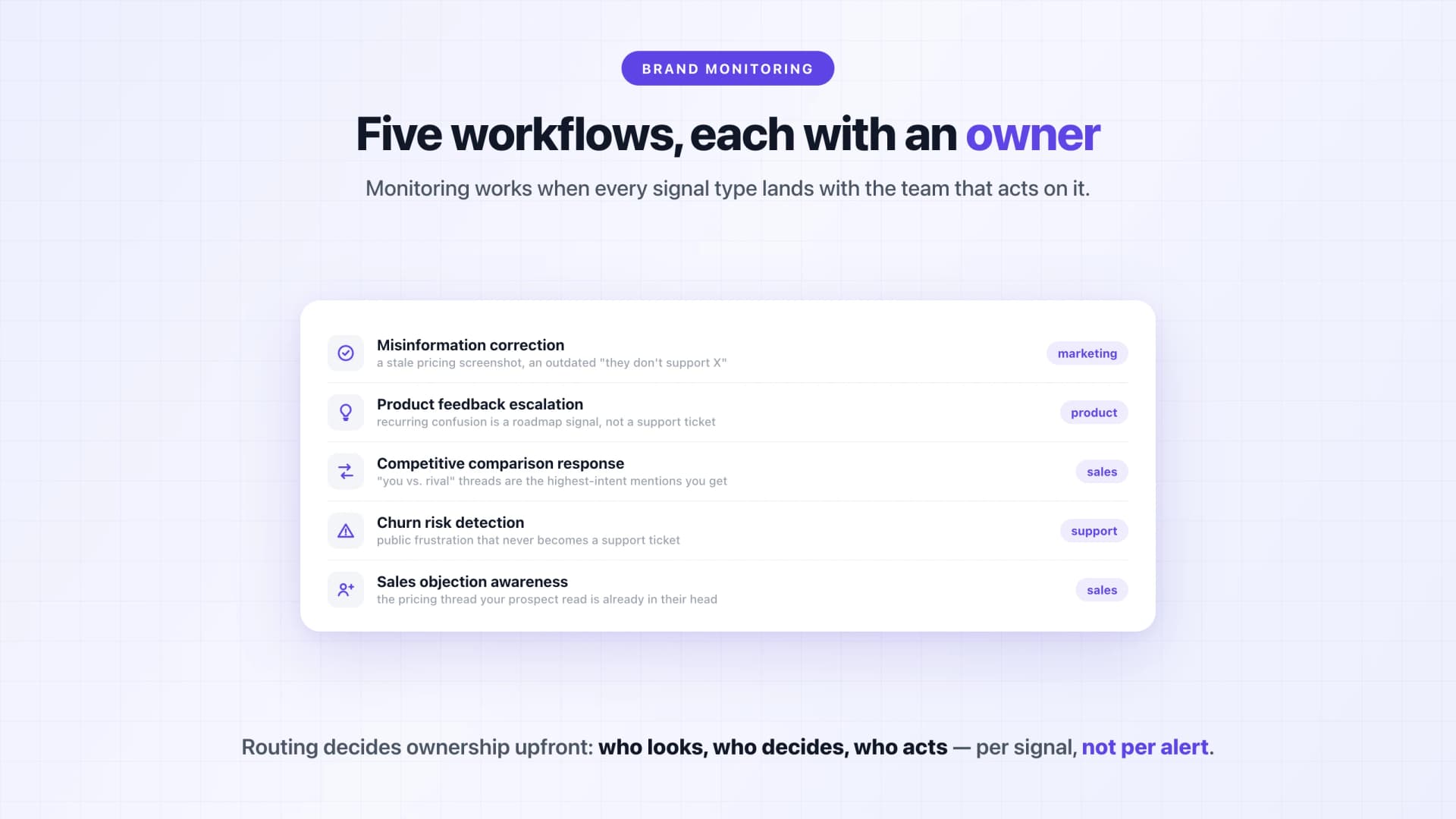
For these workflows to function, alerts need clear ownership: who looks, who decides, and who acts.
Different signals belong to different teams, whether that's product, marketing, sales, or support. Vercel, for example, routes its mentions into 20+ team-specific Slack channels, so ownership is decided upfront by the routing instead of being figured out for every single alert. Monitoring only works when it triggers explicit next steps instead of passive awareness.
Alerts should enter the workflow once, not bounce endlessly between teams.
Cadence matters more than constant attention, because the goal of brand monitoring is fast alignment and response. When it works, monitoring reduces surprises instead of creating more meetings.
If you want to see what filtered, workflow-routed monitoring looks like for your brand, try Octolens free for 7 days — and if your bigger question is how perception of your brand is trending, start with the brand reputation monitoring guide.