
How to Gather Customer Feedback That Grows Your SaaS
Learn how to gather customer feedback using proven methods for B2B SaaS. Turn surveys, interviews, and reviews into actionable insights that fuel real growth.

Learning how to gather customer feedback isn't about collecting a pile of random comments. It's about building a system that consistently brings in actionable insights. The real trick is to shift from a reactive to a proactive mindset, strategically hunting down the kind of high-signal feedback that genuinely informs your product roadmap and growth.

Before you blast out a single survey, let's get the foundation right. The goal isn't just to collect feedback; it's to create a reliable machine that constantly surfaces quality insights you can act on. This means stepping away from reactive "fire-fighting" and building a proactive feedback culture from the ground up.
This mental shift is critical. Why? Because the quality of the customer experience you deliver—and how you ask for feedback on it—has a massive impact on loyalty.
Don't just take my word for it. Recent research shows poor customer experiences cost businesses a jaw-dropping $4.7 trillion every year. In North America alone, 21% of brands have seen their customer experience scores drop for two years straight, a trend that puts retention in serious jeopardy. You can check out all the findings in the 2025 Global Customer Experience Index.
Let's be clear: not all feedback is created equal. High-signal feedback is specific, contextual, and comes directly from your ideal customer profile (ICP).
It’s the difference between a vague comment like, "Your app is confusing," and a detailed nugget like, "I couldn't figure out how to add a teammate during onboarding because the button was hidden." One is useless, the other is gold.
To start gathering it, you first need to define what it looks like for your SaaS. It usually checks these boxes:
- Actionable: It points to a clear problem you can actually solve or an opportunity you can chase.
- Specific: It includes context about where and when the issue happened.
- Recurring: It’s a theme you hear from multiple qualified users, not just a one-off complaint from a free-trial user who isn't a good fit anyway.
The core of a great feedback system isn't about capturing every single comment. It’s about creating a filter that consistently lets the most important insights through while keeping the noise out.
Once you know what you’re looking for, the next question is when to ask. The best way to figure this out is by mapping your customer journey, from their first click on your ad to the moment they become a power user (or, unfortunately, churn). Building this foundation is a non-negotiable part of any solid feedback strategy. For a deeper look at refining your methods, there's a great guide on how to collect customer feedback smarter, not harder.
This journey map will light up all the perfect moments to intercept users for specific types of feedback. Think about it:
- Onboarding: Ask about their setup experience within the first 7-14 days.
- Feature Adoption: Trigger a quick in-app poll right after a user tries a new feature for the first time.
- Support Interaction: Send a CSAT survey immediately after a support ticket is closed.
- Churn Signals: Reach out to users whose activity has dropped off a cliff to understand what went wrong.
This strategic approach helps you capture the raw, unfiltered Voice of the Customer at the moments that matter most. If you want to go deeper, you can explore more on what the Voice of the Customer is and how to actually use it. By lining up your questions with specific user actions, every piece of feedback you get will have a clear purpose and a direct path to making an impact.

Alright, you’ve laid the groundwork for listening. Now it’s time to start asking. Active feedback is the stuff you go out and get yourself—the direct line you open to your customers to find out what’s really on their minds. This is how you stop guessing what users want and start knowing what they need.
The right channel depends entirely on your goal. Are you trying to measure overall satisfaction, validate a new feature concept, or figure out why people are bailing on your onboarding flow? Every question demands a different tool for the job.
For fast-moving SaaS teams, mastering a few key methods is way more effective than trying to boil the ocean. We’ll focus on the three pillars that deliver the most bang for your buck: in-app widgets, targeted surveys, and deep-dive customer interviews.
In-app feedback tools are your secret weapon for capturing insights at the peak moment of delight or frustration. You're catching users while they're actively engaged, making their feedback far more specific and contextual than an email they might ignore days later.
Think of it this way: instead of asking a user to recall an experience, you’re asking them during it. This could be a quick thumbs-up/down after they try a new feature or a one-question poll that slides into view after they complete a key task.
The magic of in-app feedback is its timing. You're not interrupting their day with an email; you're becoming a seamless part of their workflow, gathering high-signal data without creating friction.
Live chat is another powerhouse in-app channel. It's not just for support anymore; it's a goldmine for real-time, unfiltered feedback. It’s actually become the go-to for many customers. Data for 2025 shows that 41% of consumers worldwide prefer live chat for support, beating both phone (32%) and email (23%).
With customer satisfaction rates for live chat hitting 73%, it's a proven tool for getting immediate, honest reactions to your product. You can learn more about these customer support trends and how they play into feedback collection.
Let's be honest, everyone dreads getting a long, generic survey. To make surveys work, you have to be surgical. Ditch the 20-question monsters and focus on short, targeted questionnaires sent to specific user segments at just the right moment.
The trick is to have a clear hypothesis before you write a single question. What are you trying to learn, and from whom?
- New Users: Send a quick survey 14 days after signup asking about their onboarding experience.
- Power Users: Hit them up for input on a potential new feature to gauge interest and willingness to pay.
- Recently Churned Users: An automated, one-question email asking why they left can be brutal, but the responses are often pure gold.
Deciding which method to use can feel tricky, so I've put together a quick-glance table to help you pick the right tool for your current goal.
Method Best For Potential Pitfall In-App Widget Quick, contextual feedback on specific features or workflows. Can be intrusive if overused; not ideal for deep, qualitative insights. Targeted Survey Gathering structured data from specific user segments. Low response rates if too long or poorly timed; survey fatigue is real. Customer Interview Uncovering the "why" behind user behavior and deep-diving on complex problems. Time-consuming to schedule and conduct; not scalable for large volumes of feedback.
Ultimately, a mix-and-match approach often works best. Use a quick in-app poll to identify a trend, then follow up with targeted interviews to understand the story behind the data.
Surveys tell you what is happening. Customer interviews tell you why. When you spot a confusing trend in your analytics or want to explore a complex problem, there is simply no substitute for a 30-minute conversation with a real user. These chats are your best tool for building empathy and catching the nuances that quantitative data always misses.
The secret to a great interview? Ask open-ended questions that don't lead the witness. Instead of, "Wouldn't it be great if we added X feature?" try, "Tell me about your process for completing Y task." This approach encourages storytelling and helps you uncover workarounds and pain points you never even knew existed.
To get people on a call, keep your outreach email short, personal, and crystal clear about the time commitment. A small incentive, like a gift card or product discount, can seriously boost your response rate. Start with your most engaged users—they’re usually the most excited to share their time and insights.
Sure, asking customers for feedback directly is powerful. But some of the most brutally honest, unfiltered insights come from conversations you’re not even a part of. This is passive and public feedback—the raw voice of your market, happening out in the wild. Tapping into this stream means listening where your users already are, turning public chatter into a strategic asset.
These conversations are happening right now on social media, review sites, and community forums. One of the most effective ways to gather feedback is to simply tune in. Research for 2025 shows just how critical these channels are: a massive 93% of customers say online reviews influence their buying decisions. For B2B buyers, it's just as important—75% use social media to vet their choices, making platforms like X (formerly Twitter) and LinkedIn non-negotiable listening posts.
And yet, a staggering 49% of customer complaints on social media go completely ignored. You can dig into more details in these customer service statistics. That’s a huge, unforced error you can easily avoid.
Social listening isn't about doomscrolling through your feeds hoping to find something interesting. It’s about building a system to monitor, capture, and route relevant conversations to the right people on your team. You need a focused approach to cut through the noise and surface the high-signal mentions that actually matter.
Instead of trying to be everywhere at once, zero in on the platforms where your ideal customers hang out. For most B2B SaaS companies, that means:
- X (formerly Twitter): This is the spot for real-time brand mentions, complaints about competitors, and hot takes on industry trends. Users here are direct and expect quick engagement.
- LinkedIn: A goldmine for understanding professional pain points, industry sentiment, and how decision-makers talk about the tools in your space.
- Reddit: This is where you find the good stuff. Niche subreddits are home to incredibly candid product feedback, head-to-head competitor comparisons, and detailed discussions about specific use cases.
Your goal isn't just to monitor mentions; it's to create a workflow. When a critical post is found, who gets notified? The support team? The product manager? The co-founder? A clear routing process ensures that valuable feedback doesn't die in a notification feed.
For example, a comment on LinkedIn griping about a buggy integration should be piped directly to the product and engineering teams. A glowing review on X is a perfect alley-oop for your marketing team to engage with and amplify. To get a better sense of this, check out our guide on how effective Reddit monitoring can uncover a treasure trove of user insights.
Public review platforms like G2, Capterra, and TrustRadius are non-negotiable listening posts for any B2B SaaS. This is where your prospects go to validate their shortlists and where your current customers leave detailed, structured feedback about their experience with your product.
But don't just skim your own reviews for testimonials. The real value is often buried in your competitors' profiles. Look for patterns in their negative reviews—these are your opportunities handed to you on a silver platter.
What to Look For Why It Matters Actionable Next Step Recurring Complaints These are your competitor's biggest weaknesses and unsolved user problems. Discuss these gaps with your product team to see if they align with your roadmap. "Wish I Knew" Comments This feedback reveals gaps in your competitor's onboarding or marketing. Refine your own messaging to highlight how you solve these specific pain points. Praise for Features You Lack This tells you what the market truly values and what might be a table-stakes feature. Evaluate the feature's importance for your own user base and strategic direction.
By systematically tracking these public signals, you move beyond just reacting to feedback. You start anticipating customer needs, spotting competitive weaknesses, and building a product based on what the market is publicly telling you it wants. This process turns passive listening into a proactive growth engine.
So, you've opened the floodgates. The feedback is pouring in from surveys, social media, and support tickets. This is a great problem to have, but honestly, it's where most teams get completely stuck. Raw data is pretty much useless until you turn it into something your product and growth teams can actually act on.
The secret isn't some complex, enterprise-grade software suite. It's a simple, repeatable process for triaging, categorizing, and prioritizing every single piece of feedback that comes your way. This is how you make sure insights don't just die in a spreadsheet or a forgotten Slack channel.
First things first: stop looking at feedback as one big, messy pile. You need a way to quickly sort everything into meaningful buckets. Think of it like an emergency room—you have to assess the situation and get the patient (the feedback) to the right specialist, fast.
For most B2B SaaS companies, feedback usually falls into one of three buckets:
- Product Gaps: These are your classic feature requests, suggestions for improvements, and even ideas for entirely new capabilities.
- Usability Friction: This is for all the UI/UX confusion, clunky workflows, and moments where the product just feels awkward to use.
- Bugs and Performance Issues: The most straightforward category—things that are clearly broken and need an engineer to fix them.
Just by tagging every incoming comment with one of these labels, you immediately start creating order from the chaos. A simple Trello board with columns for each category can be a surprisingly effective starting point. The goal here is to make the feedback searchable and, most importantly, quantifiable.
A single piece of feedback is an anecdote. A pattern of feedback is a signal. The real magic happens when you start putting numbers to your qualitative data to see which issues are bubbling up most often. This is what separates teams that chase random feature requests from those that solve genuine, widespread problems.
For instance, instead of just noting that "a user wants a Zapier integration," you start tracking the volume. How many paying customers from your ideal customer profile have asked for it this month? This transforms a vague suggestion into a hard data point.
This small shift in process helps you balance what users are asking for against your own strategic goals. You can start asking much smarter questions:
- Does this request actually align with our long-term product vision?
- Would this feature help us win more deals against our main competitor?
- How many of our highest-paying customers are hitting this bug?
This process is really a form of contextual analysis, where you're looking at feedback within the bigger picture of user behavior and business goals. If you want to go deeper, you can explore what contextual analysis is and see how it can really sharpen your product instincts.
Feedback becomes truly actionable when you can confidently say, "15% of our power users have mentioned struggling with the reporting dashboard." That statement gets a product manager's attention far more effectively than "some people are confused."
The biggest mistake I see teams make is letting feedback live in a silo. If your insights are trapped in a separate tool that your engineers never look at, they’re as good as gone. You absolutely have to pipe feedback directly into the systems your team already uses every single day.
This is a simple way to visualize the flow, from listening to what people are saying to getting that insight to the right team.
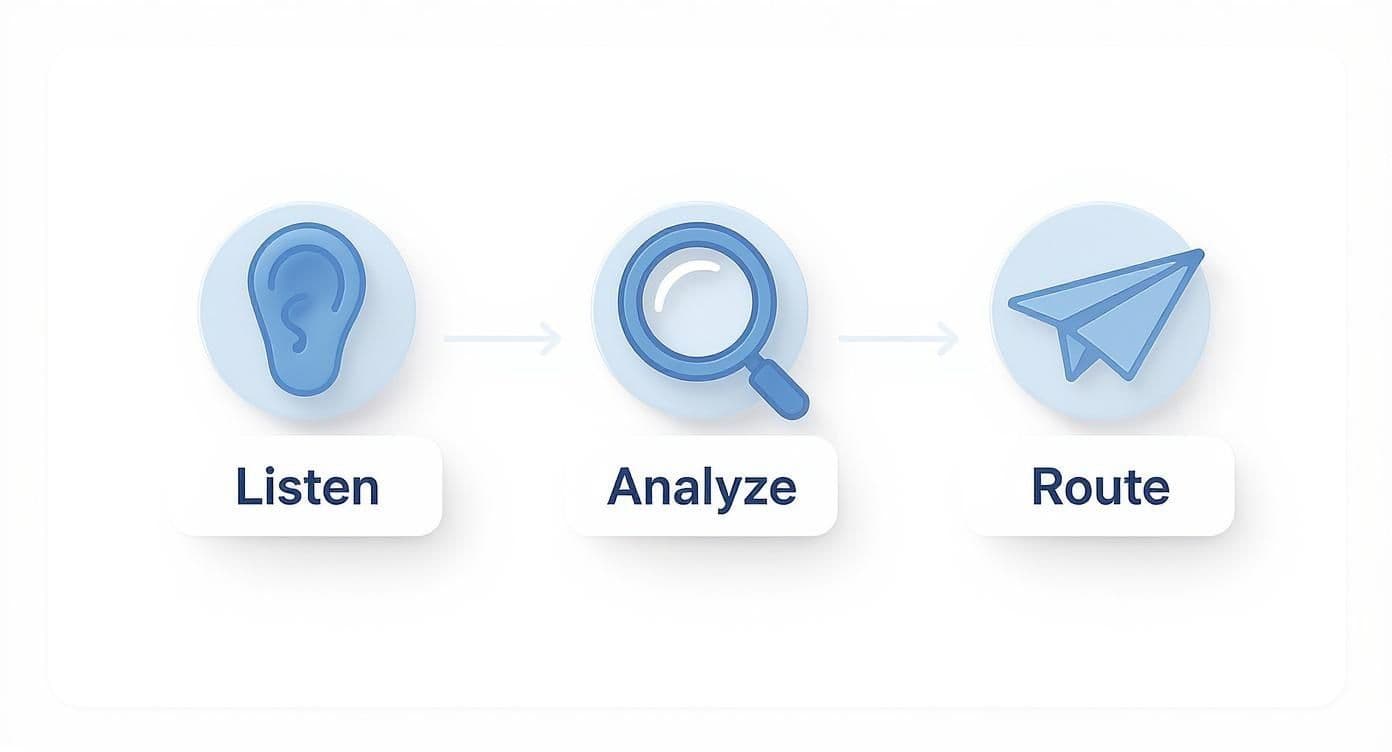
This workflow ensures that insights gathered from public channels are systematically analyzed and delivered to the teams who can actually do something about them. The key is making these steps a part of your daily operations, not a special project.
For most SaaS teams, this means integrating with project management tools like Jira, Asana, or Trello.
Integration Point Actionable Step Why It Works Product Gaps Create a Jira ticket directly from a feedback tag for a new feature request. Connects a user's voice directly to a potential work item in the engineering backlog. Bugs Automatically route feedback tagged as a "bug" to a dedicated bug-squashing board. Speeds up the resolution process by getting critical issues in front of engineers faster. Usability Friction Group related usability comments into a single Trello card for the design team to review. Helps designers see patterns of user confusion and prioritize UX improvements.
This kind of operational rhythm turns feedback collection from a passive chore into an active, integrated part of your product development cycle. It guarantees the voice of the customer isn't just heard, but is consistently present right where the big decisions are being made.
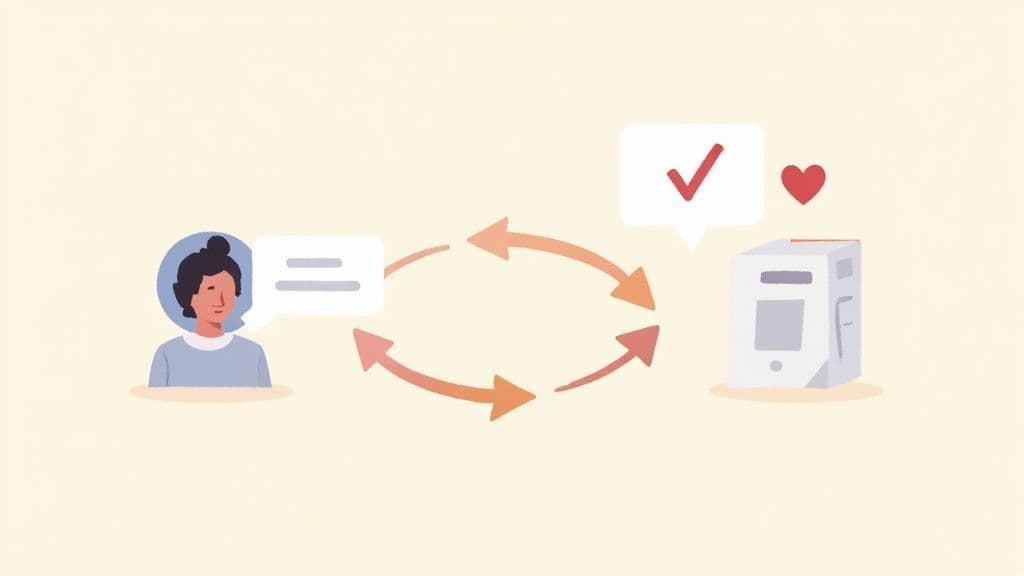
Getting customer feedback is only half the battle. The real magic happens when you prove you’re actually listening.
Closing the feedback loop is one of the most powerful—and overlooked—ways to build fierce customer loyalty. It turns users into genuine partners in your product's journey.
Most companies are decent at collecting feedback but go completely silent afterward. For the customer, that silence feels like shouting into a void. When you follow up, you transform a transactional request into a real conversation, showing customers their voice has an impact.
There's a massive difference between a broad product update and a personal follow-up. A mass email announcing a new feature is fine for your entire user base. But a personal email to the specific user who originally asked for that feature? That’s legendary.
The goal isn't just to inform; it's to make the customer feel seen and valued as an individual. That personal touch is what turns a satisfied user into a vocal advocate for your brand.
Think about it: a generic "What's New" email tells everyone about your latest update. A personal email says, "Hey, remember that thing you told us was a problem? We fixed it because of you."
The most powerful thing you can say to a customer is, “We heard you, and we made a change because of you.” This transparency builds incredible trust and shows customers their voices genuinely shape your roadmap.
When you ship a feature that a customer specifically requested, it’s a golden opportunity. Don't just tick a box on your roadmap; use it to strengthen that relationship. Your follow-up should be personal, direct, and celebrate their contribution.
Here’s a simple template you can adapt:
Subject: An update on your feedback about [Feature Area]
"Hi [First Name],
A while back, you mentioned how you wished you could [briefly describe their feedback]. I wanted to personally let you know that we just shipped an update that does exactly that.
Your insight was a huge help in getting this prioritized and designed. You can check it out here: [Link to feature or docs].
Thanks again for helping us make the product better.
Best,[Your Name]"
This kind of communication reinforces that giving feedback isn't a waste of their time. It’s a direct line to influencing the product they use every day.
Saying "no" is just as important as saying "yes." You can't build every feature request, and that's okay. Ignoring the request, however, is not. A transparent "no" builds far more trust than silence ever will.
The key is to be empathetic, provide context, and thank them for their input. Honesty shows you respect their time and perspective, even when you can't act on their suggestion right away.
Here are a few ways to frame your response:
- Explain the "Why": Let them know that while it's a great idea, it doesn't align with the current product vision or isn't a widespread problem yet.
- Offer a Workaround: If possible, suggest an alternative way they can achieve their goal with existing features.
- Keep the Door Open: Reassure them that you've logged their feedback and will revisit it if priorities shift or more users express a similar need.
Below is a quick comparison of how to handle this conversation effectively.
Response Element Good Response (Builds Trust) Bad Response (Breaks Trust) Tone Empathetic and appreciative. Dismissive or robotic. Reasoning Provides a brief, honest reason. Vague or no explanation. Next Steps Suggests a workaround or future consideration. Offers no alternative solution.
Closing the loop, regardless of the outcome, is a core part of a healthy feedback process. It signals that every piece of feedback is reviewed and valued, solidifying the customer's role as a true partner in your product's evolution.
Even with a solid game plan, you're going to have questions pop up as you build out your customer feedback system. It’s totally normal. Let's walk through some of the most common hurdles I see SaaS teams run into, so you can move forward with confidence.
This is a classic "it depends" scenario, but I can give you a solid rule of thumb: align your requests with key moments in the customer journey. Instead of just blasting everyone with generic surveys, get surgical with your timing.
You're aiming for quality interactions, not just a high volume of responses. Survey fatigue is real, and annoying your users is the last thing you want to do.
Think about these specific trigger points:
- Post-Onboarding: Give them about 7-14 days to settle in after signing up.
- After a Key Action: The moment a customer uses a major feature for the first time is a goldmine for feedback.
- Following a Support Ticket: Jump on it right after an issue is resolved.
- After a Major Release: Let users kick the tires on a new update, then ask what they think.
Honestly, the "best" tool is the one your team will actually use every single day. Don't get bogged down with finding the perfect, feature-packed platform right out of the gate. You can build an incredibly effective system with simple tools before you even think about paying for specialized software.
A shared Trello board or even a dedicated Slack channel (something like #feedback-stream) is a fantastic starting point. As you start getting more feedback than you can handle there, you can graduate to purpose-built platforms like Canny, Productboard, or UserVoice. These tools often plug right into project management software like Jira, which is great for piping customer insights directly into your development workflow.
The goal isn't to find a perfect tool; it's to create a reliable process. A simple, well-used Trello board is infinitely more valuable than a powerful, expensive tool that gathers digital dust.
Knowing what to ask is just as important as knowing when to ask it. The questions you choose directly shape the quality of the insights you get back. You want questions that are specific, open-ended, and designed to uncover the "why" behind what a user is feeling or doing.
When you're putting together your surveys, knowing the right questions to ask is everything. To get you started, you can find some great ideas in this list of essential feedback survey questions.
First, take a deep breath. Negative feedback isn't a personal attack—it's a gift. It’s a genuine opportunity to learn from your most honest (and often most passionate) users. The trick is to respond with empathy, transparency, and a real desire to understand where they're coming from.
Don't ignore it. Address it head-on. Thank the customer for taking the time to share their thoughts, even if it stings a little.
If it's a feature request you can't or won't build, be honest about why. Maybe it doesn't align with your product vision, or perhaps it only solves a problem for a tiny fraction of users. Closing the loop, even with a polite "no, and here's why," is crucial. It shows you're listening and respect their input, which builds way more trust than silence ever could.
Ready to stop missing the critical conversations happening about your brand? Octolens surfaces high-signal feedback from Reddit, X, Hacker News, and more—delivering it right to your Slack. See what your most vocal users are really saying and turn unfiltered feedback into your biggest growth advantage.