
How to Collect Customer Feedback That Actually Drives Growth
A practical guide on how to collect customer feedback. Learn proven methods, channels, and workflows to gather actionable insights and improve your product.

Collecting customer feedback isn't just about sending out a survey now and then. It’s about building a system—a well-oiled machine that combines proactive methods, like asking for opinions directly, with passive listening across all the places your customers hang out. The secret sauce? Defining clear goals from the get-go, so every piece of feedback you collect actually ties back to a real business objective.
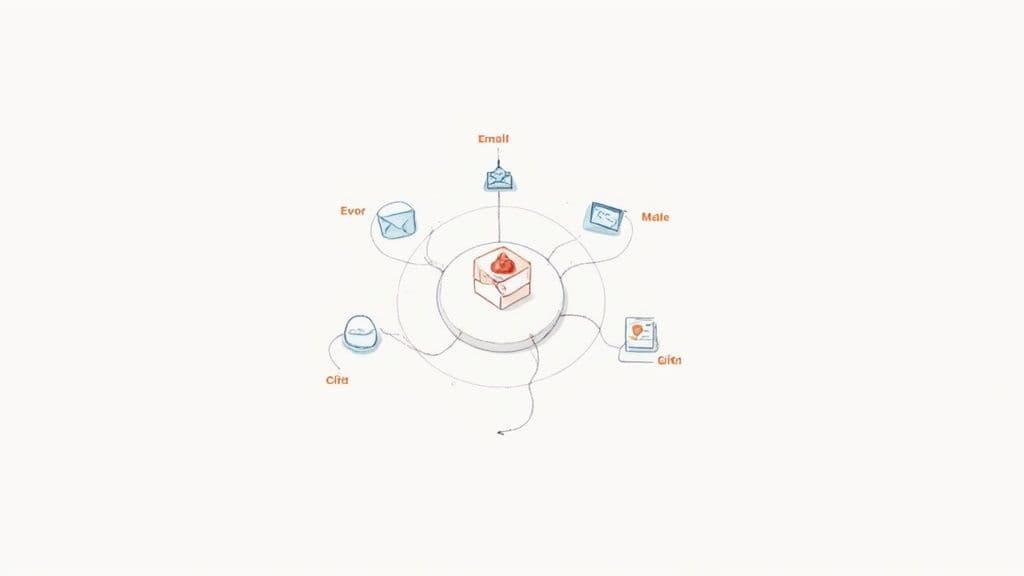
Before you even think about crafting that perfect survey question or diving into support tickets, you have to lay the groundwork. A solid feedback program isn't just a random collection of questions. It's a deliberate system designed to pull out meaningful, actionable insights.
If you skip this step, you’re just setting yourself up to gather a ton of noisy, low-quality data that leads your team down the wrong path. Trust me, I've seen it happen.
It all starts with a mindset shift: treat feedback as a gift, not just another task on your to-do list. When you do that, you start to build a culture where everyone, from engineering to marketing, understands how valuable it is to listen. You're building an operation where feedback is a core, purposeful part of how you run the business.
First things first: why are you even collecting feedback? If your answer is something vague like "to improve the product," you've already lost. Vague goals lead to vague questions, which, you guessed it, produce useless answers.
You need to get granular. Your goals should be specific, measurable, and tied directly to business outcomes.
Here’s what I mean:
- To Reduce Churn: "I want to identify the top three friction points that cause new users to abandon our product within the first 30 days."
- To Increase Upsells: "I need to understand which features our power users value most so we can build a better premium offering."
- To Improve Onboarding: "My goal is to pinpoint where users get stuck during setup to decrease support tickets by 20%."
When you have clear goals like these, every feedback channel and every question you ask suddenly has a purpose. You know exactly what you’re looking for and how you’ll use the insights you gather. This kind of clarity is the bedrock of any effective Voice of the Customer program.
An effective feedback strategy needs to walk on two legs: proactive and passive collection. Relying on just one will leave you with massive blind spots.
- Proactive Feedback is when you're the one asking. Think surveys (like NPS or CSAT), customer interviews, or those little in-app pop-ups. You control the questions and the timing, which is fantastic for getting structured data on specific topics you’re curious about.
- Passive Feedback is the unsolicited goldmine. It's what customers are saying on their own terms—in support tickets, on social media, in community forums, and on review sites. This feedback is often brutally honest and surfaces problems you would have never even thought to ask about.
A truly comprehensive feedback system doesn't just ask questions; it listens everywhere. By blending proactive surveys with passive social listening, you get both the structured data you need for metrics and the raw, unfiltered context that reveals the 'why' behind the numbers.
To really nail this, it's worth getting familiar with the overarching customer feedback best practices that apply to both methods.
The game is also changing. We’re moving toward more immediate, in-the-moment feedback. Companies are now using mobile-friendly surveys right at checkout or using AI to analyze the emotional sentiment behind online comments. An omnichannel approach that includes channels like WhatsApp can seriously boost response rates and uncover candid frustrations that a formal email survey would never capture. Meeting customers where they are is key to getting the complete picture of their experience.
Once your listening foundation is solid, it’s time to switch from a passive stance to an active one. This is where you deliberately go out and ask for insights. We’re not talking about blasting your entire user base with generic surveys; this is about surgically targeting the right people, at the right moment, to get high-quality, structured feedback.
The goal here is to get past the surface-level compliments and complaints. You want to uncover the real 'why' behind customer behavior, and that requires thoughtfully designed questions and methods that respect your users' time.
Let’s be honest: most surveys are terrible. They're too long, the questions are vague, and they feel like a chore. To get data you can actually use, you need to be strategic with the three most common survey types: NPS, CSAT, and CES.
- Net Promoter Score (NPS): This is the classic "How likely are you to recommend us?" survey, and it’s great for measuring overall loyalty. Don't just send it randomly. Trigger it after key value moments, like when a user successfully completes a major project or 90 days after they’ve subscribed. That’s how you get a true read on their sentiment.
- Customer Satisfaction (CSAT): This one measures satisfaction with a specific interaction, usually on a 1-5 scale. You should use it immediately after a support ticket is closed or a purchase is completed. The immediacy is crucial for capturing an accurate emotional response before it fades.
- Customer Effort Score (CES): This asks, "How easy was it to get your issue resolved?" It's a fantastic predictor of loyalty because it hones in on friction. A low-effort experience often matters more to customers than a single "delightful" one.
The secret to a good survey isn't the tool you use; it's the respect you show for the customer's time. Keep it to a single, powerful question whenever possible. An optional follow-up like, "What’s the main reason for your score?" is often all you need to get the rich context behind the number.
Before we move on, it's helpful to see how these methods stack up against more passive approaches. Some channels are great for asking direct questions, while others excel at letting you observe organic conversations.
Here’s a quick comparison of the most common active and passive methods for collecting customer feedback, highlighting their best use cases.
Feedback Type Common Channels Best For Surveys Email, SMS Measuring loyalty and post-interaction satisfaction In-App Pop-ups Web, Mobile App Getting immediate feedback on specific features or workflows Interviews Video Call, Phone Uncovering deep motivations and complex user journeys
Choosing the right channel depends entirely on what you're trying to learn. Active methods give you structured data on specific questions, while passive methods provide unfiltered, candid insights. A healthy feedback diet includes a mix of both.
Email surveys are great for relationship-level feedback, but for capturing contextual insights, nothing beats an in-app pop-up. When used sparingly, they can provide immediate, actionable data right when a user is engaging with your product.
Imagine a user just spent five minutes trying out a brand-new feature. A small, non-intrusive pop-up asking, "On a scale of 1-5, how easy was this to use?" is incredibly valuable. They're already in the right mindset, and the experience is fresh in their memory.
This approach is a cornerstone of collecting real-time customer feedback, as it closes the gap between action and opinion. You can dive deeper into this strategy in our guide to gathering real-time customer feedback.
Surveys and pop-ups give you the "what," but customer interviews give you the "why." A single 30-minute conversation with the right customer can be more insightful than 1,000 survey responses. But a poorly run interview is just a waste of everyone's time.
The key is to avoid leading questions. Instead of asking, "Don't you think this new dashboard is great?" try an open-ended prompt like, "Walk me through how you used the new dashboard this morning."
Here’s a simple framework for a productive interview:
- Start Broad: Begin with questions about their role and their biggest challenges. This builds rapport and provides crucial context for their answers later.
- Focus on Past Behavior: Ask about specific, recent experiences. "Tell me about the last time you..." is far more powerful than "What do you usually do...?" People are much better at recalling actual events than generalizing their behavior.
- Listen More, Talk Less: Aim for an 80/20 split where the customer does most of the talking. Use silence to your advantage; people often fill it with valuable, unprompted thoughts if you just give them a moment.
- Dig for the 'Why': When a customer mentions a specific action or feeling, gently probe deeper. Ask, "What were you hoping would happen when you did that?" or "Can you tell me more about why that was frustrating?"
Proactive feedback collection is an art. It requires empathy, timing, and a clear purpose. By mastering these methods, you equip your team with high-quality insights that come directly from the people who matter most—your customers.
While proactive methods like surveys and interviews are fantastic for getting answers to specific questions, some of the most powerful feedback is the stuff you don't even ask for.
This is passive feedback—the unsolicited, unfiltered, and often brutally honest thoughts your customers share on their own terms. Learning how to tap into these channels is like gaining a superpower. You get to hear what people really think when they believe you're not listening.
Here you'll find the raw, emotional context that numbers on a survey can never quite capture. It’s hiding in the frustrated tone of a support ticket, the enthusiastic praise in a Reddit thread, or the confused question on a community forum.
When you start tuning into these channels systematically, you can turn a chaotic stream of public chatter into a goldmine of actionable insights.
Before you even look at public forums, there’s a treasure trove of passive feedback sitting right inside your own tools. Your support desk, live chat history, and sales call notes are packed with recurring pain points, feature ideas, and customer frustrations.
The trick is to stop treating these as one-off interactions and start seeing them as a collective data source.
- Support Tickets and Live Chat: Don't just close tickets; analyze them. Look for patterns. Are you getting a dozen tickets a week about the same confusing setting in your app? That's not just a support issue—it's a UX problem masquerading as a support query.
- Sales Call Notes: Your sales team is on the front lines, hearing objections and feature requests every single day. Create a simple process for them to tag and log this feedback in your CRM. When a prospect says, "We'll sign up as soon as you have X integration," that's a powerful signal for your product roadmap.
The goal is to build a system where front-line teams aren't just solving problems—they're surfacing insights. A simple Slack channel where support and sales can drop noteworthy customer quotes can be an incredibly effective, low-effort way to start.
Beyond your own walls, customers are talking about you on social media, in niche communities, and on review sites. This is where you get the unvarnished truth about your brand, product, and competitors. Ignoring these conversations is like leaving money on the table.
This is especially true in the B2B world. Recent data shows that 75% of B2B buyers use social media to guide their purchasing decisions, making it a critical channel for feedback. And with 90% of U.S. consumers more likely to support businesses that respond to all online reviews, it’s clear that listening is only half the battle.
To do this right, you need to understand the difference between broad social monitoring and targeted social listening. Our guide on social listening vs monitoring breaks this down and can help you figure out which approach is right for you.
Here’s a practical look at where to tune in:
Channel Type of Feedback Example Scenario Reddit & Niche Forums In-depth product discussions, comparisons, and bug reports. A user in a relevant subreddit asks for alternatives to your product, and the replies detail specific shortcomings your team was unaware of. X (formerly Twitter) Real-time reactions, brand mentions (both good and bad), and competitor chatter. A developer tweets a screenshot of a frustrating error message, and a dozen others chime in with the same problem. Review Sites (G2, Capterra) Structured pros and cons, feature requests, and onboarding experiences. A new review highlights a critical missing feature that has become a dealbreaker for mid-market customers.
Let's be realistic: manually tracking all these channels is impossible. It’s incredibly time-consuming, and you’re guaranteed to miss critical mentions. This is where a focused tool can make all the difference by filtering out the noise and surfacing only the high-signal conversations.
For instance, a tool like Octolens is designed to monitor platforms like Reddit, X, and Hacker News for specific keywords related to your brand, competitors, or problem space. Instead of a dashboard full of vanity metrics, it sends the most important mentions directly to your Slack or email.
This screenshot shows how a tool can pull in mentions from various online sources, making it easy to see what people are saying at a glance.
By centralizing these conversations, you can quickly spot emerging trends, respond to customer issues before they escalate, and gather unfiltered feedback without spending hours scrolling through feeds.
Collecting feedback is a great start, but it's only half the battle. If all those survey responses, support tickets, and social media mentions just end up in a forgotten spreadsheet, you’ve basically built a data graveyard. The real magic happens when you build a system to actually triage, categorize, and prioritize everything you've gathered.
Without a process, you’ll just drown in noise. Every piece of feedback feels equally urgent, which is a fast track to team burnout and a reactive, totally chaotic approach. A good system, on the other hand, turns that flood of raw data into a clear, prioritized list of actions your team can confidently tackle.
This really boils down to listening to what's being said, scanning for the important signals, and then analyzing the underlying patterns.
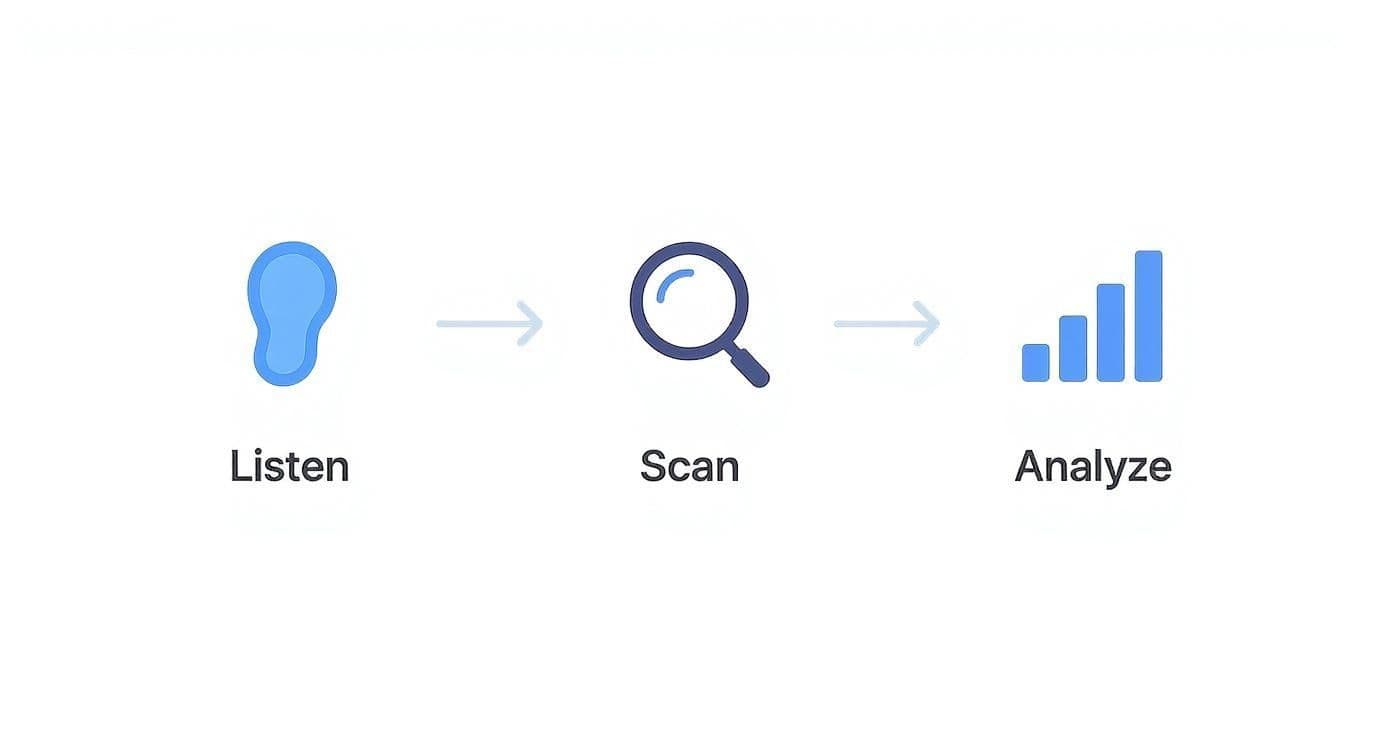
This flow is simple but powerful: listen everywhere, actively scan for the meaningful signals, and analyze the trends to figure out your next move.
First things first: stop letting feedback live in silos. Those support tickets, NPS comments, interview notes, and Reddit threads all need to flow into one central place. And no, this doesn't have to be a fancy, expensive tool, especially when you're just starting out.
A dedicated Slack channel is a fantastic, low-effort way to get going. You can use simple automations with tools like Zapier to pipe in mentions from social media, negative CSAT scores from your help desk, and form submissions from your website. This creates a real-time stream of your customers' consciousness that the whole company can see.
A few other simple options:
- A Trello or Asana Board: Create columns like "New Feedback," "Under Review," "Needs More Data," and "Actioned." Simple and visual.
- An Airtable Base: This is a nice step up, letting you tag, categorize, and even link feedback to specific product areas or customer accounts.
Honestly, the specific tool matters less than the habit. The goal is to create a single source of truth so you’re not jumping between ten different tabs just to understand what customers are saying.
Once feedback is flowing into your central hub, you have to start categorizing it. Tagging is probably the most critical part of making sense of qualitative data at scale. Without tags, you just have a long list of comments. With tags, you have a searchable database of customer pain points and desires.
Start with broad categories and get more granular over time. Your initial tags could be as simple as:
- Product Area: (e.g., dashboard, billing, integrations)
- Feedback Type: (e.g., bug-report, feature-request, usability-issue)
- Sentiment: (e.g., positive, negative, neutral, confused)
Don’t overthink your tagging system at first. The perfect set of tags will emerge from the feedback itself. Just be consistent. Over time, you’ll be able to ask powerful questions like, "Show me all the usability issues related to the billing page from our enterprise customers."
Once you've got this raw qualitative feedback, knowing how to interpret it is key. It's worth exploring techniques for mastering qualitative research analysis methods to really get the most from your tagged data.
Let's be real: not all feedback is created equal. A feature request from one small customer isn't the same as a recurring bug that’s causing churn among your highest-value accounts. You absolutely need a simple way to decide what to act on now, what to investigate further, and what to put on the back burner.
A simple Impact/Effort matrix is a great place to start. For each significant piece of feedback, just ask two questions:
- Impact: How many customers does this affect? How badly does it affect them? Does it align with our strategic goals?
- Effort: How much time and how many resources will it take to address this? Is it a quick bug fix or a major feature build?
This simple exercise helps you sort feedback into four clear buckets:
Category Impact Effort Quick Wins High Low Major Projects High High Fill-Ins Low Low Thankless Tasks Low High
This kind of framework is what moves you from a "squeaky wheel gets the grease" model to a strategic approach where you focus your team's energy on the things that will truly move the needle for your customers and your business.
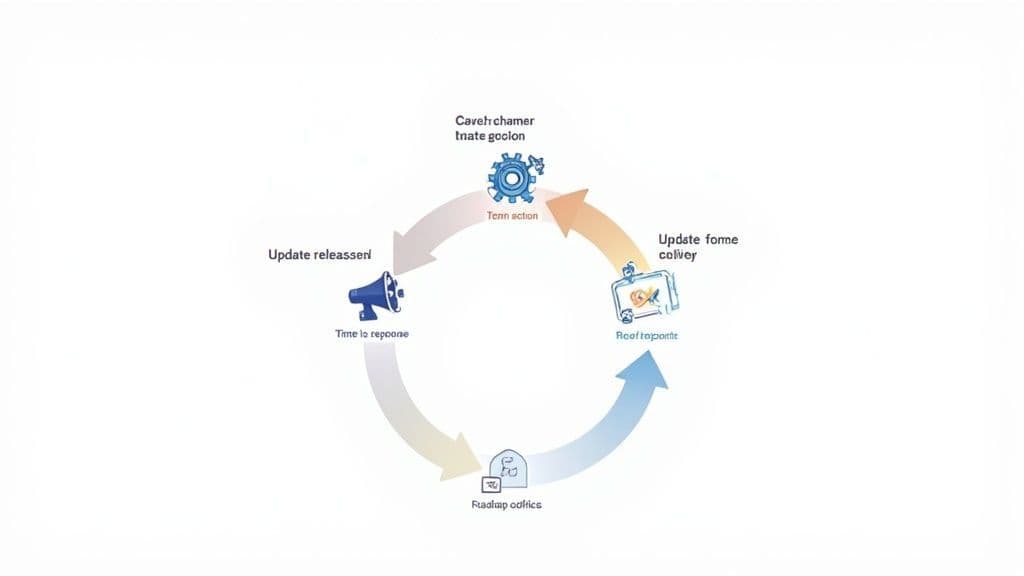
Let's be blunt: collecting customer feedback and letting it gather dust is worse than not asking for it in the first place. It sends a clear message that you don't value their time, slowly chipping away at the trust you worked so hard to build.
This final step—acting on what you've learned and telling customers about it—is what separates the good from the great. It’s what we call "closing the loop."
When you close the loop, you’re showing people you didn't just hear them; you took action. This simple act turns a one-way data stream into a genuine conversation, building incredible loyalty and encouraging even more high-quality feedback down the road.
You can’t just rely on good intentions and a sharp memory to follow up. To do this right, you need a repeatable process for every type of feedback, from individual bug reports to major feature announcements.
Think about the different kinds of feedback you get and sketch out a simple playbook for each.
- For Bug Reports: When a user flags a bug, thank them immediately. But the magic happens when you create a system to notify them personally once it's fixed. A simple email saying, "Hey, remember that issue you reported? We just shipped a fix for it," is ridiculously powerful.
- For Feature Requests: Let’s face it, you can't build everything. Acknowledge the idea and let the customer know you've logged it for consideration. If you do end up building it, announce it publicly and give a shout-out to the people who suggested it. They'll love you for it.
- For Negative Feedback: Speed is everything here. A low CSAT score or a frustrated comment should trigger a review from a supervisor within 24 hours. The goal isn't just to put out a fire; it's to understand the root cause and, if possible, reach out to make things right.
Closing the loop is your most powerful retention tool. When customers see their feedback lead to real change, it transforms them from passive users into engaged advocates who are invested in your success. They feel like part of the team.
This kind of systematic follow-up shows you’re a company that actually listens. That alone is a massive differentiator.
To keep getting buy-in from leadership and other teams, you need to prove your feedback efforts are paying off. Tracking the right metrics elevates your program from a "nice-to-have" side project to a core business driver. It’s how you show that listening to customers directly impacts the bottom line.
Here are a few metrics I always keep an eye on:
Metric What It Measures Why It Matters Time to First Response How quickly you acknowledge feedback, especially negative comments. Shows you're attentive and on the ball, stopping small issues from becoming big problems. Feedback-Influenced Roadmap (%) The percentage of your product roadmap that came directly from customer feedback. Proves that customer insights are driving strategy, not just someone's gut feeling. Sentiment Shift Post-Follow-Up Changes in a customer's satisfaction after you've closed the loop on their issue. This is the money metric. It shows the direct impact of your follow-up on happiness and loyalty.
These numbers aren't just for slide decks; they’re your compass. A low "Feedback-Influenced Roadmap" percentage might mean your process for sharing insights with the product team is broken. A slow "Time to First Response" could mean your notification routing needs a tune-up.
Ultimately, a strong feedback program isn't a one-off campaign. It’s a continuous cycle of listening, analyzing, acting, and communicating that keeps your product and your customers perfectly in sync.
Even with the best-laid plans, a few practical questions always seem to surface once you start getting your hands dirty with customer feedback. Let's tackle some of the most common ones we see teams wrestling with. These are the small hurdles that can trip you up, but with a bit of clarity, you can keep the momentum going.
This is all about balance. There’s no magic number, and the real goal is to avoid the dreaded "survey fatigue" while still gathering timely insights. The best way to think about it is in terms of the customer's journey and the context of your ask.
- Transactional Feedback: When it comes to things like a closed support ticket or a recent purchase, you should ask for feedback immediately. The experience is fresh in their mind, which means the response you get will be far more accurate. A simple CSAT or CES survey is perfect for this.
- Relationship Feedback: For those broader measures of loyalty, like an NPS survey, asking quarterly or bi-annually usually hits the sweet spot. This gives customers enough time to have meaningful new experiences with your product without feeling like you're constantly pestering them.
- In-App Feedback: This can be an ongoing stream, but it should always be triggered by a specific user action. A great example is prompting for feedback right after a user successfully tries out a new feature for the very first time.
The golden rule here? Ask at moments that make sense to the customer. Your feedback request should feel like a natural part of their experience, not some random, annoying interruption.
First off, take a deep breath and reframe your thinking. Negative feedback is actually a gift. It comes from a customer who cares enough to complain instead of just quietly churning and disappearing forever. Your goal isn't just to fix the immediate problem; it's to make that customer feel genuinely heard.
Your response needs to be swift and empathetic. Always start by acknowledging their frustration before you even think about jumping into solutions. A simple, "I can absolutely see why that's frustrating" goes a surprisingly long way.
If the conversation is unfolding on a public forum like X or Reddit, your first move should be to take it to a private channel—like email or DMs—as quickly as you can. A prompt, human response can often turn an angry detractor into one of your most loyal advocates.
Honestly, the "best" tool is whichever one your team will actually use consistently. It really boils down to your current tech stack, your budget, and the sheer volume of feedback you're dealing with.
Plenty of teams start simple and scale up from there. You could use a dedicated Slack channel hooked up with automations from Zapier, a well-organized Trello board, or even a sophisticated Airtable base. These can work wonders in the beginning.
As your feedback volume grows, you might want to look into dedicated platforms like Canny or UserVoice. The most important thing is to create a single source of truth, no matter where it lives.
Don't let the noise of public platforms overwhelm your feedback process. Octolens surfaces the high-signal conversations from Reddit, X, Hacker News, and more, delivering only the critical mentions straight to your team so you can act faster. See how it works at https://octolens.com.