
Mastering the Art of Monitoring the Competition in B2B SaaS
Level up your strategy for monitoring the competition. This B2B SaaS playbook shares real-world tactics for tracking rivals and turning insights into wins.
If you want to get a real handle on your B2B SaaS competition, you've got to move past just casually checking their website. You need a smart, active listening system. I’m talking about tracking the real conversations happening on places like Reddit, X, and Hacker News to find raw, unfiltered feedback and spot market gaps before everyone else does.
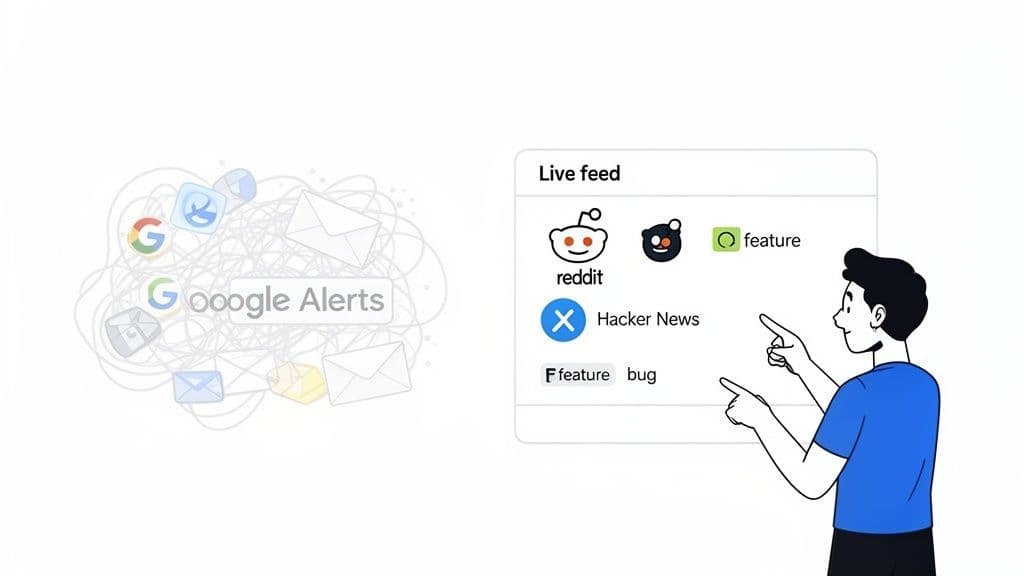
Just setting up a few Google Alerts and calling it a day is a recipe for falling behind. The B2B SaaS world is ridiculously competitive—the global market is on track to hit $793.10 billion by 2029—and a passive approach just doesn't cut it anymore.
The real talk about your competitors—their wins, their failures, and what frustrates their customers—is happening right now in unfiltered online communities. This guide is all about moving past outdated methods and showing you how to build a modern listening post that turns noisy data into a focused feed of high-signal intelligence.
The risks of being out of the loop are real. Think missed product opportunities, poached customers, and a tarnished reputation. All of these can happen just because you weren't listening to what the market was saying.
A smart approach to competitive monitoring helps you:
- Surface Unfiltered Feedback: Find out what users really think about a rival's new feature or that recent pricing change.
- Identify Emerging Gaps: Spot the customer pain points your product can solve better than anyone else.
- Anticipate Market Shifts: Catch wind of trends and strategic pivots long before they’re officially announced.
For a great example of this in action, check out this deep dive on exploring Delighted alternatives and competitors. It shows how you can use this kind of analysis to understand a specific tool's market position.
The goal isn't just to collect mentions. It's to transform raw conversations from platforms like Reddit and X into a direct intelligence feed for your product, marketing, and sales teams.
Ultimately, this kind of proactive listening gives you a serious edge. It lets you react faster, build a better product, and craft messaging that hits home because it’s based on what your ideal customers are already talking about. It’s all about being in the right conversations at the right time.
Let’s be honest: your competitors’ most valuable feedback isn't found in their polished case studies. It’s scattered across niche online communities where users, developers, and prospects speak their minds without a filter. This is where you find the unvarnished truth.
The real challenge isn't just gathering data—it's cutting through the noise to find the signals that actually matter. Instead of trying to boil the ocean, a focused listening strategy is what separates teams that get insights from those that just get alerts.
You need to go deeper than the usual suspects. Think less about broad social media platforms and more about the specific digital watering holes where your ideal customers hash out real-world problems. For B2B SaaS, this often means developer forums, professional subreddits, and industry-specific hangouts.
Knowing where to look is half the battle. Here’s a quick breakdown of where to focus your energy for maximum return:
Channel What to Monitor Example Signal Niche Subreddits User frustrations, workarounds, requests for alternatives "We're ripping out [Competitor X] because the integration keeps failing. Any suggestions?" Technical critiques, early reactions to launches, security concerns "Just tried [Competitor Y]'s new feature. It's fast, but the API docs are a mess." X (formerly Twitter) Real-time complaints, feature requests, praise for competitors A frustrated user tagging a competitor: "Your support team hasn't replied in 3 days." Industry Podcasts Expert opinions, market sentiment, hints about future trends "They're great, but they're still missing a key compliance feature for healthcare."
These are the places where candid conversations happen. By homing in on them, you stop chasing every mention and start capturing intelligence that can genuinely steer your product roadmap and give your sales team an edge.
The cloud services market is projected to hit $2.73 trillion by 2034, with 62% of that revenue coming from large enterprises. The stakes are massive. Community managers can cut their manual monitoring time by 80% just by setting up focused alerts on platforms like Hacker News and specific subreddits.
This isn't just about saving time; it's about catching insights your rivals completely miss. That direct feedback can lead to 15-20% faster feature iterations—a crucial advantage when everyone is racing to build the next essential tool.
Once you know where to look, you need a smart way to tune in without drowning in alerts. This is where specialized B2B social listening becomes your secret weapon. The goal is to filter out the irrelevant chatter and zoom in on what truly matters. To get this done right, many teams are turning to specialized AI analysis tools for competitor insights.
The best competitive insights often come from candid, unsolicited comments. A developer complaining about a competitor's API on X is far more valuable than a curated testimonial on their homepage.
By narrowing your focus to these high-signal sources, you completely transform your approach. You stop reacting to noise and start proactively capturing intelligence that drives real business decisions.
Alright, you know where to look for competitive intel. Now, let’s build the listening post itself. This isn't about setting up a few random keyword alerts and calling it a day. The goal here is to create an automated, low-effort system that pipes high-impact insights directly into your team's existing workflow.
We need to move past simply tracking your competitors’ brand names. That’s table stakes. True competitive monitoring means crafting queries that sniff out the conversations that actually matter to your business.
The most common mistake is casting the net way too wide. An alert for just "[Competitor Name]" will absolutely bury you in useless noise—think press releases, job postings, and conference sponsorships. It’s a fast track to alert fatigue.
Instead, you need to think like a customer who’s actively evaluating, using, or—most importantly—complaining about a rival's product. Your queries have to be specific and layered to catch that intent.
Here are a few practical examples that work wonders:
- Go deep on specific features: Don't just track "CompetitorX." Set up an alert for "CompetitorX pricing" or "CompetitorX API integration". This hones in on conversations about the parts of their product that directly compete with yours.
- Track common complaint phrases: Frustrated users often use the same language. Build alerts for phrases like "[Rival Product] alternative", "frustrated with [Rival Product]", or "is [Rival Product] down". These are pure gold for your sales and product teams.
- Follow their key people: Competitor CEOs, VPs of Product, and Developer Advocates love to drop hints on X or in podcasts. Monitoring their names can give you a heads-up on strategic shifts or new feature philosophies long before they hit a press release.
This screenshot shows what a focused monitoring dashboard should look like. No chaos, just clean, prioritized signals.
Instead of a firehose of irrelevant mentions, you get a clear view of conversations that actually demand your team's attention.
Once you’ve got your queries dialed in, the next step is getting the results into your team’s hands without them having to lift a finger. Manually checking a dashboard every day is a habit that's hard to build and even easier to break. Automation is what makes this whole process sustainable.
The whole point is to deliver insights where your team already works. This removes friction and makes it far more likely that important signals are seen and acted upon. For most B2B SaaS teams, that means Slack, email, and maybe a webhook for custom setups. To really nail this, you need a clear process. For a more structured approach, you can learn more from this complete competitor analysis framework.
The best listening post is one that feels invisible. It just works in the background, surfacing critical intel at the perfect moment without demanding constant attention from your team.
Here’s a simple way to think about structuring your automated workflow:
Workflow Destination Best For Example Use Case Dedicated Slack Channel Real-time, collaborative response A #competitor-intel channel where marketing and sales see mentions of "[Competitor] alternative" and decide who should jump in. Email Digest Weekly strategic review A Monday morning email summarizing all mentions of competitor pricing changes for the leadership team to review. Webhooks Custom integrations and data analysis Sending all mentions with negative sentiment directly to a custom tool that tracks long-term trends in customer frustration.
This kind of setup transforms your monitoring from a manual, time-sucking chore into a seamless, automated stream of competitive insights. It’s not just about collecting data; it’s about building a system that gets the right information to the right people, right when they need it.
Flipping the switch on your alerts is the easy part. Honestly, anyone can do it. The real work begins when that firehose of raw mentions starts flooding in. Without a clear plan, your carefully crafted intelligence feed becomes just another source of noise that your team quickly learns to ignore.
Alerts are useless if they don't lead to action. You need a simple, clear set of rules to triage every mention so your team knows exactly what to do next. Is this a hot sales lead? A crucial piece of product feedback? Or just a low-signal comment you can safely archive?
I find it helpful to visualize this sorting process. This decision tree is a simple way to think about categorizing new mentions based on their potential impact.
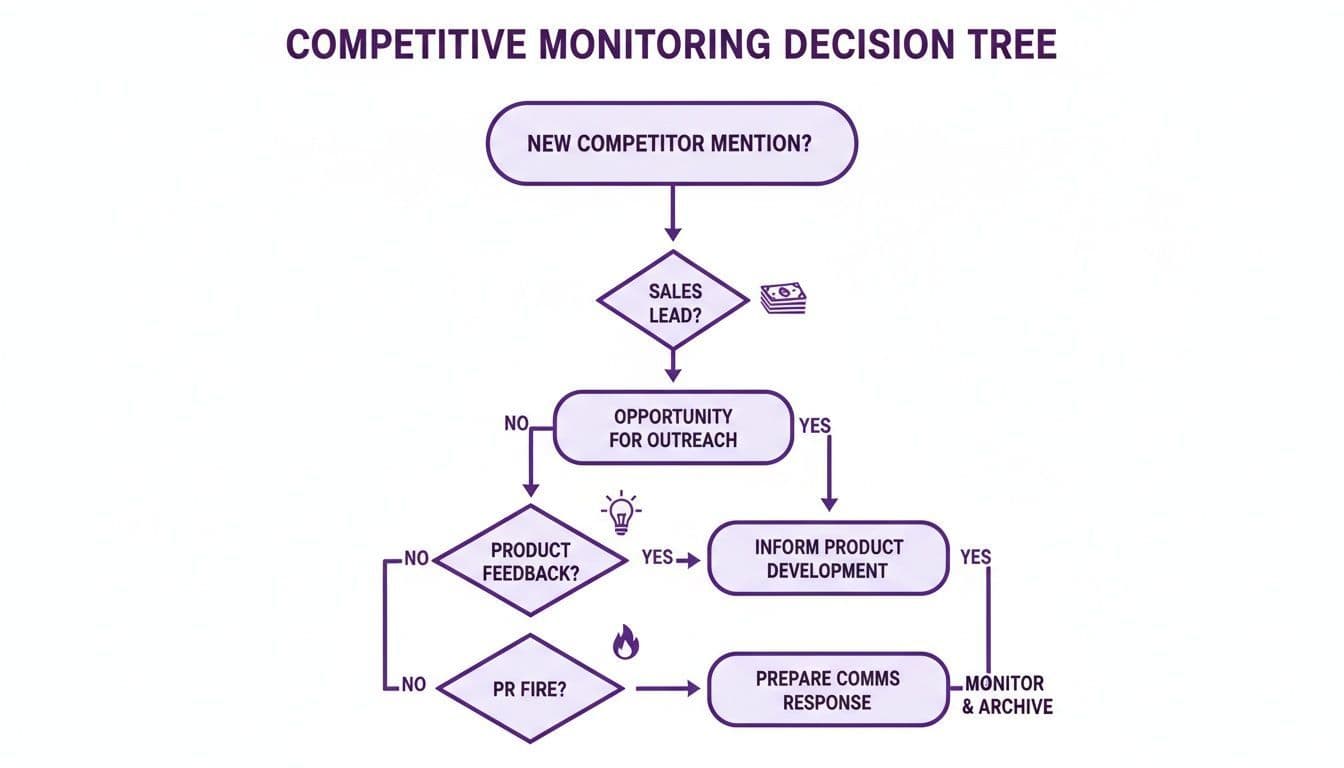
This model helps you instantly classify a mention by its core intent, ensuring every piece of intelligence gets routed to the person who can actually do something with it—fast.
Your triage system doesn't need to be some complex, multi-layered beast. In fact, the simpler, the better. The goal is to build a lightweight process that feels like a natural part of your team's existing workflow, not another chore to manage.
A great place to start is by routing mentions directly into the communication tools your team already lives in, like Slack. This simple step is what transforms monitoring from a passive, look-at-the-dashboard activity into a proactive growth engine.
Here are a few real-world examples I've seen B2B SaaS teams use to great effect:
- For Urgent Issues: Create a #fires or #brand-threats channel in Slack. Route any mention with strong negative sentiment or keywords like "unacceptable," "broken," or "warning" directly there. This immediately gets eyes on it from key stakeholders so they can coordinate a swift, unified response.
- For Product Feedback: Set up a workflow that pipes any mention of "[Competitor] feature request" or "wish [Competitor] could do X" into a #product-feedback channel. This gives your product team a real-time, unfiltered look at the market gaps your competitors are leaving wide open.
- For Sales Opportunities: Flag any mention of "[Your Brand] vs [Competitor]" or "[Competitor] alternative" and push it straight to your sales or marketing team. These are often active buying signals from prospects deep in their evaluation process, and speed is everything.
The key is to connect the signal directly to the team that owns the action. When a sales lead lands in a sales channel and a bug report lands in a product channel, you eliminate the friction that kills all momentum.
To get started, you don't need a fancy project management tool. Just map out your rules in a simple table. This creates a clear playbook that anyone on your team can understand and follow. You can always build it out over time, but begin with the most critical mention types first.
Mention Type Triage Rule (Example) Action Owner Urgent Negative Comment Keywords: "furious," "unusable," "warning" AND high negative sentiment. Community/PR Team Competitor Comparison Keywords: "[Your Brand] vs [Competitor]" OR "[Competitor] alternative." Sales/Marketing Team Feature Request Keywords: "wish they had," "feature request," "if only they could..." Product Manager Positive Mention/Praise Keywords: "love," "amazing," "switched to" AND high positive sentiment. Marketing/Social Team
This kind of simple framework ensures every critical insight gets to the right person, fast. It’s how you graduate from just listening to actively shaping conversations and driving real business outcomes.
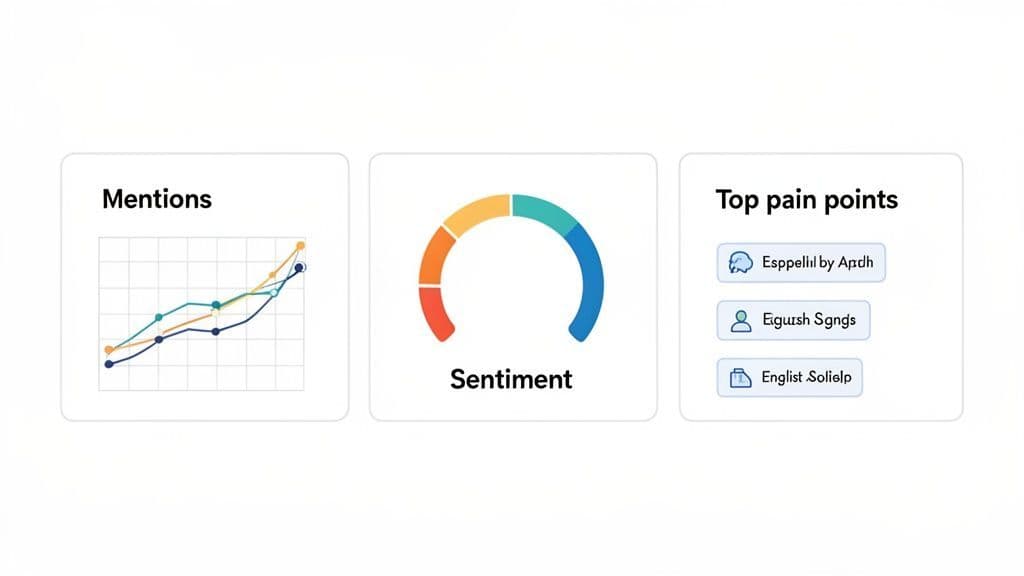
Your triage system is now funneling high-signal mentions to the right teams, which is a massive win. But to make truly strategic decisions, you need to zoom out and see the bigger picture.
The goal isn't to create bloated reports that no one reads. It's about building a clean, effective competitive intelligence dashboard that leadership can actually use. Think of it less as a complex analytics project and more as a simple, shared document that gets updated regularly.
This summary should distill ongoing trends into a concise format, helping everyone spot market shifts and validate strategic bets for your product roadmap. A good dashboard answers key questions at a glance, without a deep dive into the raw data.
The key to a useful dashboard is ruthless prioritization. You can track dozens of things, but you shouldn't. Instead, focus on a handful of metrics that directly reflect the competitive landscape and tell a story over time.
For most B2B SaaS teams, this boils down to three core areas:
- Mention Volume: Tracking the sheer volume of conversations about your top competitors helps you gauge their market presence and mindshare. Are they getting more buzz after a new feature launch? Is a rival fading from the conversation?
- Sentiment Trends: This is about moving beyond raw numbers. A simple gauge showing the ratio of positive, negative, and neutral mentions for each competitor reveals their brand health and customer satisfaction.
- Top Pain Points: This is arguably the most actionable metric of all. By categorizing and tracking the most common frustrations voiced by your competitors' customers, you get a direct feed of market gaps your product can fill.
A dashboard should be a conversation starter, not a data dump. If a metric doesn't lead to a clear question like, "Why did their negative sentiment spike last week?" or "What can we do about this recurring complaint?"—it probably doesn't belong.
You don't need a fancy BI tool to get started. A simple Notion page, Google Doc, or a specialized tool can work perfectly. The real keys are consistency and clarity.
If you're looking for advanced ways to pull this data together automatically, exploring different types of media monitor software can provide a great starting point for building a more robust system.
Here’s a sample structure that prioritizes actionable insights over raw data—perfect for a weekly or bi-weekly leadership summary.
Metric Competitor A Competitor B Mention Volume (Last 7 Days) 125 (↑ 15% WoW) 88 (↓ 5% WoW) Sentiment Snapshot 65% Positive, 25% Negative 75% Positive, 10% Negative Top Customer Pain Point "API documentation is confusing" "Pricing tiers are too restrictive"
This simple format turns abstract data points into a clear competitive narrative. It creates a concise summary that helps leadership quickly understand the landscape, validate product decisions, and stay one step ahead.
Diving into a structured competitor monitoring program always kicks up a few questions. Let's tackle the ones I hear most often so you can get past the hurdles and start building your listening post.
The honest answer? It completely depends on your industry and what you’re trying to achieve.
If you’re in a fast-moving space like AI or developer tools, real-time alerts piped directly into Slack are pretty much non-negotiable. You need to know what’s happening as it happens.
But for broader strategic insights—like tracking market sentiment or product trends—a daily or weekly email digest is way more practical. This approach keeps you in the loop without creating constant "alert fatigue." The goal is to find a rhythm that keeps you informed, not overwhelmed.
Don't confuse activity with progress. Checking alerts constantly can be a major distraction. A good system is one that surfaces what's truly important, letting you get back to your own work.
It’s tempting to want to track everything, but that’s a fast track to getting lost in the noise. For most B2B SaaS teams I've worked with, it boils down to three core metrics:
- Share of Voice: In the simplest terms, how often are your competitors being mentioned compared to you?
- Sentiment Trends: Is the chatter about them generally positive, negative, or neutral? Are there sudden spikes in frustration?
- Key Pain Points: What specific problems or frustrations are their customers bringing up over and over again? This is often where the best opportunities hide.
These three give you a clear, high-level snapshot of the competitive landscape without drowning you in data.
You absolutely do not need a pricey suite of tools to get going. The key is to start small and be surgical.
A great first step is setting up free Google Alerts for super-specific, high-intent phrases like "[Competitor Name] alternative" or "frustrated with [Competitor Name]". You’d be surprised what this catches.
Then, just commit to manually browsing a few key subreddits or Hacker News threads once a week. Your initial mission is to prove the value of these insights internally. Once you start surfacing a few actionable customer complaints or legitimate sales leads, justifying a dedicated tool becomes a much, much easier conversation. Monitoring the competition is about being smart and targeted, not just spending money.
Octolens helps fast-moving B2B SaaS teams catch every critical mention—without the noise. It surfaces high-signal conversations across Reddit, X, Podcasts, Hacker News & more, so you can track competitors and spot gaps before anyone else. Learn more at Octolens.com.