
How to Get an Alert When a Web Page Changes (and Why You Should)
Learn how to alert me when a web page changes with easy tools and reliable methods for tracking updates and competitors.

In the business world, what you don't know can absolutely hurt you.
A competitor quietly tweaking their pricing, a partner rolling out a new integration, or a key prospect posting a new role—these are signals you can't afford to miss. This guide walks you through exactly how to set up an alert when a web page changes, turning a tedious manual task into an automated, strategic advantage.
Manually checking websites for updates is more than just a chore; it’s an outdated strategy. In a market where speed is everything, refreshing a competitor’s career page every morning is a waste of your time. What you really need is an automated system that acts as your eyes and ears online, flagging important changes the second they happen.
To get the full picture, it helps to start by understanding workflow automation and how it can give your team a serious efficiency boost. Think of page monitoring as a specialized form of this automation, designed to feed you critical business intelligence without you having to lift a finger.
Setting up alerts for web page changes gives you a powerful first-mover advantage. Instead of reacting to news weeks after the fact, you're positioned to act on it immediately. This isn't just about keeping tabs on rivals; it's about building a real-time map of your entire business ecosystem.
Just think about the opportunities you could jump on with the right alerts:
- Sales Intelligence: Get notified when a target account posts a new job opening for a "Director of Marketing," signaling a budget shift and a new decision-maker you need to talk to.
- Competitive Strategy: See the instant a competitor adjusts their pricing or adds a new feature to their product page, letting you counter their move before it gains traction.
- Partnership Opportunities: Discover when a complementary company updates its integrations page, revealing a perfect new partner for your own product.
This proactive approach turns raw data into actionable insights. You stop chasing information and start letting it come directly to you, freeing up your team to focus on strategy instead of surveillance.
In the fast-paced B2B SaaS world, missing a key update on a competitor's pricing page could cost you market share. It’s no surprise that 85% of Fortune 500 companies already use website change monitoring to stay ahead, detecting shifts in real-time across millions of pages daily. This approach mirrors the strategic value you get when you explore the benefits of social media monitoring.
You don't need to be a developer or have a massive budget to start tracking changes on a web page. In fact, you can get your first alert up and running in the next five minutes using tools built for exactly this purpose. These quick-start options are perfect for anyone—freelancers, small teams, or even just curious individuals—who needs fast insights without a complicated setup.
The simplest way to get an alert when a web page changes is with a browser extension or a dedicated online service. Tools like Visualping and Distill.io have made this process incredibly straightforward. The concept is simple: you point them to a URL, and they shoot you an email when they spot a difference.
Many of these tools offer a clean, no-fuss interface. You just paste a link and you're off.
The real magic of these services is that they handle all the heavy lifting—the servers, the checks, the comparisons—so you can just focus on the information you actually care about.
One of the most powerful features these tools offer is the ability to monitor specific parts of a page. This is a game-changer. Instead of getting a notification for every tiny tweak, like a typo fix in the footer, you can draw a box around the exact element you want to watch.
Think about it: you could be tracking a competitor's pricing page. By selecting just the pricing table, you'll only get an alert if they adjust a price, add a new plan, or shuffle their feature list. This kind of precision turns a noisy notification feed into a source of actionable intelligence.
If you want to see how a tool can simplify this process even further, check out Copycat247's feature list for immediate alerts. Knowing what's possible helps you pick the right monitor, whether you're tracking a visual element or a chunk of text.
For those just dipping their toes in, the free plans offered by these services are more than enough to get a feel for how things work. They typically have limits on how many pages you can track or how often checks run, but it’s the perfect way to test the waters without commitment.
To help you get started, here’s a quick look at a few popular, easy-to-use services.
A quick comparison of popular, easy-to-use services for setting up your first web page change alert.
Tool Best For Free Plan Frequency Visualping Visual-first monitoring and beginners Daily to weekly checks Distill.io Selective monitoring & browser integration Every 6 hours (cloud) Versionista Side-by-side comparisons & reporting Daily checks
These tools make it incredibly easy to get going. The free tiers give you a solid starting point to figure out which one fits your workflow best before you ever have to think about paying.
My tip: Don't just track your competitors. Set up an alert on your own pricing page. It's a simple way to get an immediate heads-up if a technical glitch or unauthorized change ever goes live.
When one-off alerts just don't cut it anymore, it's time to build a system that grows with your team. This isn't about getting a few email notifications; it's for the growth leads, marketers, and product managers who need a reliable, automated stream of intelligence.
Moving beyond the basic tools means creating a workflow that pipes the right updates to the right people, all without someone having to manually check things. It’s about turning reactive monitoring into a proactive strategy—creating a central nervous system for competitive intel that the whole team can tap into.
You've really got two main routes to build a more robust system: sign up for a professional, team-focused monitoring service, or roll up your sleeves and build a custom solution with scripts. Each has its place, depending on your team's technical skills and how complex your needs are.
- Professional Services: These are platforms built for business use. They come with team accounts, role-based access, and direct integrations into tools your team already uses, like Slack or Teams. This is easily the fastest and most reliable way to scale up.
- Custom Scripts (e.g., Python): If you have development resources, a custom script offers ultimate flexibility. You can control every single piece of the puzzle, from how pages are checked to how alerts are formatted and delivered.
No matter which path you take, the process follows a simple but powerful flow: you select what to monitor, the system keeps an eye on it, and you get notified of changes.
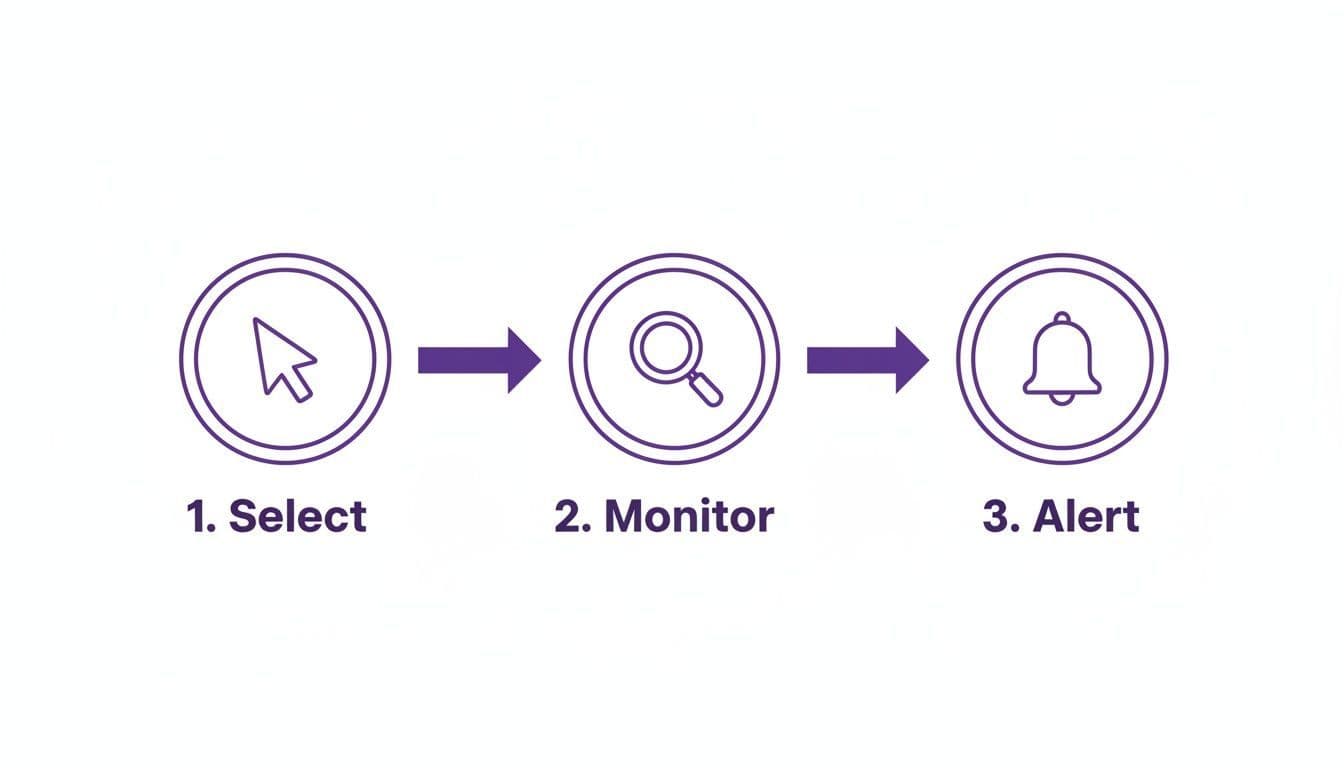
This breaks down the core workflow into three stages—Select, Monitor, and Alert—the fundamental building blocks of any good monitoring system.
For most teams, a professional service is the most practical choice. These platforms are built for reliability and are far easier to manage than a custom script. They offer features that go way beyond what a simple browser extension can handle.
The real magic is in the integrations. Look for services that can plug directly into your team's communication hub. The goal is to get high-signal updates delivered straight into a dedicated channel. For example, you could set up a #competitive-intel Slack channel where alerts about competitor pricing changes or new feature announcements are posted automatically. This creates a single source of truth that keeps everyone in the loop.
These platforms are often the best bet when you need an advanced media monitor software solution that does more than just spot page differences.
If you've got a developer on your team, building a custom script is a seriously powerful alternative. Using Python with libraries like BeautifulSoup for parsing HTML and requests for fetching web pages, you can create a monitor that's perfectly tailored to your needs.
The basic idea is straightforward:
- Your script periodically downloads the HTML of a target URL.
- It compares the current version against a previously saved copy.
- If it detects a difference, it triggers a notification.
The notification part is where things get interesting. Instead of just firing off an email, you can use the APIs for Slack or Discord to post a detailed message directly into a team channel. You could even format the alert to show exactly what text was added or removed, giving your team instant context without having to click a link.
The real power of a scalable system is turning raw data into a shared intelligence asset. When an alert about a competitor's new integration lands in a shared Slack channel, it's not just information—it's a conversation starter for the product, sales, and marketing teams.
With an estimated 252,000 new websites launching every week, manual monitoring is simply impossible. Automated alerts catch 89% of critical updates that humans would otherwise miss. Enterprise platforms can even archive full page histories for compliance or historical analysis, and some can even track changes inside login-protected PDFs—a must-have for high-stakes B2B deal intelligence.
Ever tried to monitor a page, only to get a flood of useless alerts or, even worse, find your tool completely blocked? It’s a common headache, especially with modern websites.
Many pages today aren't built with simple, static HTML. They rely on JavaScript to load crucial information—like pricing or product availability—after the initial page is already in your browser. Simple monitoring tools often stumble here because they only grab the basic code, not the final, fully-rendered page that a real person sees. This means you either get alerts for meaningless code changes or miss the updates you actually care about.
So, how do you track content that only appears after the fact? You need a tool that thinks more like a browser.
The technology behind this is often called a headless browser. Think of it as a web browser that runs on a server without any of the visual stuff. It loads a page and executes all the JavaScript, just like Chrome or Firefox would, before it checks for changes. This ensures you're monitoring the real content your customers and competitors are seeing, not just the underlying source code.
Here’s why that’s a game-changer:
- Accurate Price Tracking: You can finally monitor e-commerce sites where prices change dynamically based on location or user data.
- Real-time Stock Alerts: Get notified the second an "out of stock" message flips to "in stock," even if that text is loaded by JavaScript.
- Monitoring Web Apps: Keep an eye on changes inside complex web applications, like a competitor’s new feature dashboard.
Using a headless browser is the difference between taking a blurry photo and getting a crystal-clear snapshot. One gives you a vague idea; the other shows you exactly what's going on.
Actionable Tip: If you need to get notified when a web page changes and that page is dynamic, you must use a service that can render JavaScript. Otherwise, you’re flying blind and will almost certainly miss the most important updates.
What about tracking content that’s tucked away behind a login? I'm talking about members-only forums, customer dashboards, or private analytics portals. This is where most basic tools hit a brick wall, but more advanced services have some pretty elegant solutions.
These platforms can securely handle authentication, allowing them to monitor pages that are off-limits to the public internet. They usually pull this off in one of two ways:
- Credential Storage: You provide the username and password, which the service stores securely (encrypted, of course) and uses to log in fresh before each check.
- Cookie Injection: A more flexible method where you log in from your own browser, export the session cookie, and provide it to the monitoring tool. The tool then uses this cookie to access the page just as if it were you.
This capability opens up some powerful intelligence-gathering opportunities. You could monitor a private industry community for mentions of your brand or track updates inside a competitor’s web app right after they’ve launched a new feature for their paying users.
Modern monitoring tools have made this process much safer and more reliable. In fact, visual diff monitoring, which often relies on headless browsers, can highlight changes with 95% accuracy and slash false positives by up to 70%. This is especially critical when tracking JavaScript-heavy pages in competitive niches. You can dig deeper into how this technology works and find more insights on ChangeTower.
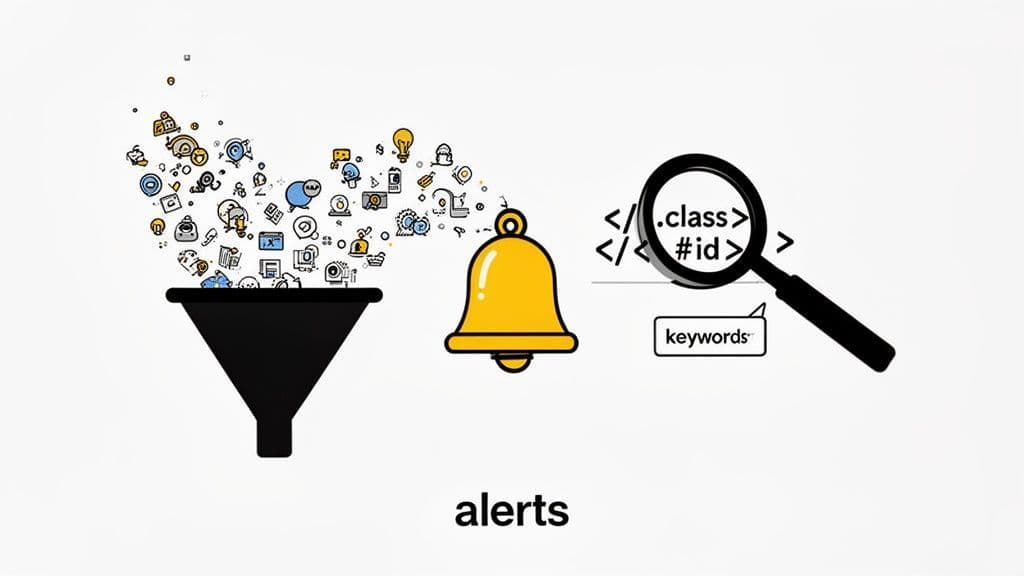
Getting an alert when a web page changes is one thing; getting the right alert is another. Let's be honest, a flood of irrelevant notifications is just as distracting as checking websites manually. The key is to turn down the noise so you can hear the signal loud and clear.
This means building smarter alerts that focus only on the information that truly matters. Instead of monitoring an entire page, you need to tell your tool exactly what to look for. Fortunately, modern monitoring services give you some incredibly powerful ways to do just that.
One of the most effective ways to reduce noise is by zeroing in on a specific part of a page. Most good monitoring tools let you select a visual area, but using CSS selectors gives you surgical precision.
A CSS selector is a snippet of code that points to a specific HTML element, like a pricing table or a product description. By telling your monitor to watch just that selector, you completely ignore meaningless updates in the site's footer, sidebar, or navigation menu.
Imagine you're tracking a competitor's pricing. You could set up an alert on the entire URL, but you’d get notified for every little blog post they add. A much smarter approach is to target only the pricing table itself. This ensures you only get an alert for what you actually care about—a change in price.
This technique transforms your monitoring system from a blunt instrument into a precision tool. You stop getting alerts about cosmetic site tweaks and start receiving high-value intelligence that warrants your immediate attention.
Another powerful technique is setting up keyword-based rules. This is perfect when you're looking for a specific word or phrase to appear or disappear from a page. You can configure your system to alert you when a web page changes to either include or remove terms that are critical to your business.
This opens up a ton of strategic possibilities:
- Stock Monitoring: Get an alert when the phrase "Out of Stock" is removed from a product page.
- Partnership Tracking: Be notified if a key partner adds your competitor's name to their integrations page.
- Job Openings: Trigger an alert when a target company posts a job with the title "VP of Sales."
These keyword rules act as a filter, ensuring that the only notifications that reach you are the ones that are genuinely actionable.
Finally, think about how often you truly need updates. The ideal check frequency depends entirely on what you're monitoring.
A critical news source or a competitor’s flash sale might warrant checks every five minutes. On the other hand, a corporate blog or a regulatory documentation page probably only needs to be checked once a day.
Matching the frequency to the urgency of the information is crucial. Over-monitoring wastes resources and can create unnecessary noise, while under-monitoring means you might miss a time-sensitive opportunity. My advice? Start with a conservative frequency, like daily, and adjust it based on how critical the information is to your workflow.
It’s easy to throw all online monitoring into the same bucket, but using the right tool for the job is everything.
The decision really boils down to a simple question: are you tracking a known target or hunting for an unknown opportunity? Knowing the answer tells you whether you need to monitor a specific web page or cast a wider net for brand mentions.
Getting an alert when a specific web page changes is all about precision. This is your go-to when you already know the exact URL that holds the information you care about. Think of it less like casting a fishing net and more like setting up a sniper scope.
I've seen this work incredibly well in a few common scenarios:
- Competitor Pricing: You want to know the instant your main rival adjusts their pricing page. No delays, no summaries—just the raw change.
- Partner Integrations: You need an immediate heads-up if a key partner adds a new integration to their official list or, just as importantly, removes one.
- Regulatory Updates: Your compliance team is watching a specific government or industry standards page for any policy tweaks that could impact your business.
- Product Feature Releases: You’re keeping an eye on a competitor’s "What's New" or changelog page to stay ahead of their latest product updates.
In every one of these cases, the URL is a known constant. You're not trying to discover something new; you're maintaining vigilance over something you've already identified as critical.
On the flip side, brand mention monitoring is for discovery. It’s about finding conversations you don't even know are happening yet.
The whole point is to find mentions of your brand, your competitors, or key industry terms on platforms where you could never predict the URL in advance. We’re talking about places like Reddit, X (formerly Twitter), forums, podcasts, and blogs that pop up out of nowhere.
The core difference is simple: page change monitoring watches a specific place, while brand mention monitoring searches for a specific topic across countless places. One is for targeted surveillance, the other is for broad situational awareness.
Understanding the strategic distinction between social listening vs monitoring is key here. Page change detection is a form of highly targeted monitoring. In contrast, brand mention tracking is much closer to listening—it’s about uncovering organic conversations and market sentiment.
A truly comprehensive intelligence strategy needs both. You monitor known competitor pages for direct, predictable threats, and you listen for brand mentions to uncover those unknown opportunities and risks. This dual approach ensures you’re covering both your blind spots and your primary targets.
Ready to stop missing out on crucial conversations? Octolens surfaces high-signal mentions across Reddit, X, Podcasts, Hacker News & more, so you can track competitors and gather product feedback without the noise. Discover what you've been missing.