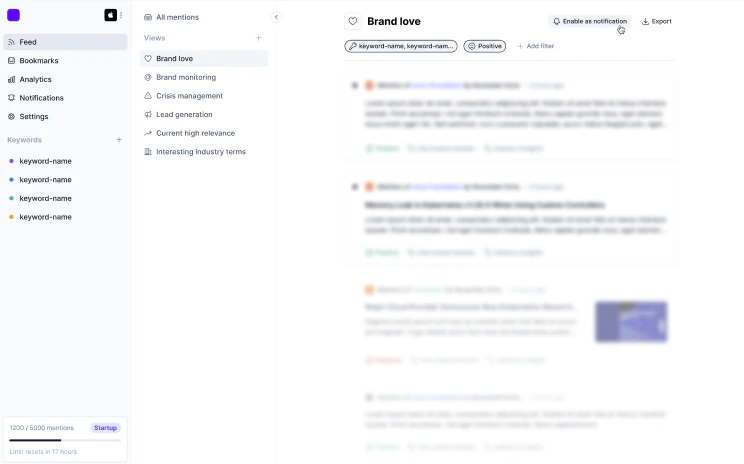
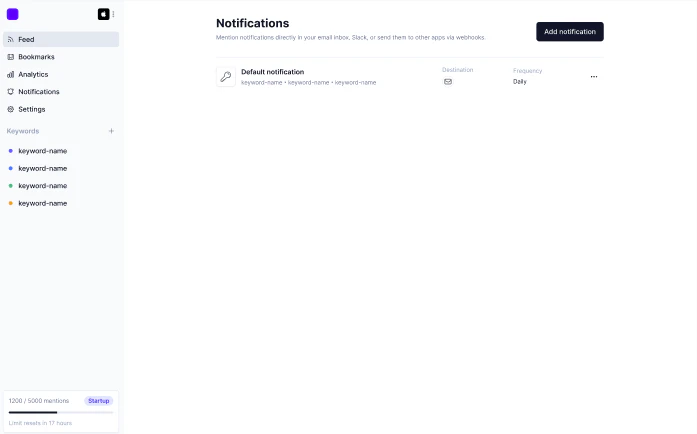
You can create a notification based on any of your saved views. We have a list of default views, and you can create your own. Once a view is set up, you can enable it as a notification in the top-right of the screen. You can also set one up from your notifications page. Set up notifications directly in your feed:
Set up notifications from the feed
Set up notifications via the notifications page:
Set up notifications from the notifications page
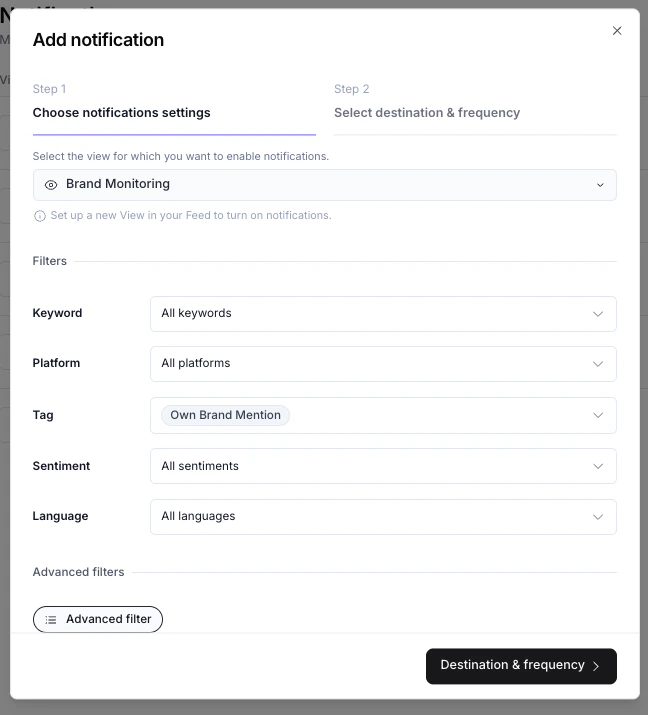
Once you enter the notification setup flow, here are the steps:

Step 1: Choose Notification Settings

  • Choose the view you want to get notified for in the dropdown (if the view doesn’t exist yet, create it first)
  • Check over the filters of that view including:
    • Keyword
    • Platform
    • Tag
    • Sentiment
    • Language
  • You can also set advanced filters.
Step 1: Choose notification settings

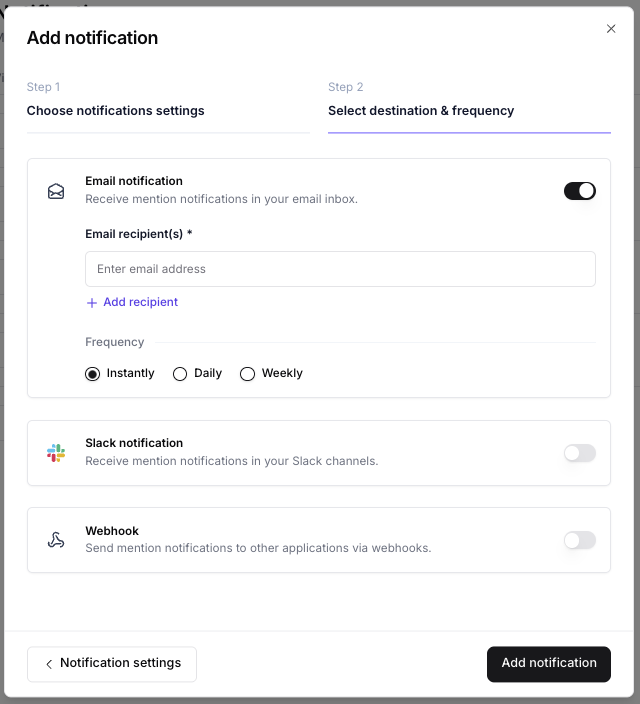
Step 2: Select destination and Frequency

Choose where you want to send your notification. You can choose between:
  • Email
  • Slack notification (make sure your Slack workspace is connected first)
  • Webhook
Choose the frequency of the notification.
Step 2: Select destination and frequency