
You’re viewing the legacy MCP v1 docs. v1 still works for existing connections, but it’s no longer the default and receives no new features. New setups should use MCP v2 — OAuth instead of a token in the URL, plus feeds, analytics, and keyword/feed management. See the migration steps.
Octolens MCP lets AI agents securely access your social listening data. MCP (Model Context Protocol) is a standard that allows AI tools to connect with third-party APIs in a secure, consistent way. In this case, MCP connects AI tools to your Octolens workspace, so you can query mentions, analyze conversations, and build custom reports from your existing monitoring data.
  • “Generate a share of voice graph using my BRAND, COMPETITOR 1, COMPETITOR2, and COMPETITOR3, and include percentage share, mention volume, as well as sentiment breakdown”
  • “Show me all Reddit mentions from the last week where sentiment is negative”
  • “Analyze competitor positioning from recent Twitter conversations”
  • “Generate a summary of feature requests from the last 7 days”

How to Use Octolens MCP

In Octolens, navigate to Settings and then the MCP tab. You will need to generate your MCP URL to connect your Octolens account and data to any of our supported AI tools.
  • Click Generate URL
  • Choose a name for your API key
  • Choose an expiration date for your API key from the dropdown
  • Click Create
  • Copy the URL
MCP is intended for interactive AI-client workflows. For scripts, backend jobs, or production integrations, use the REST API.
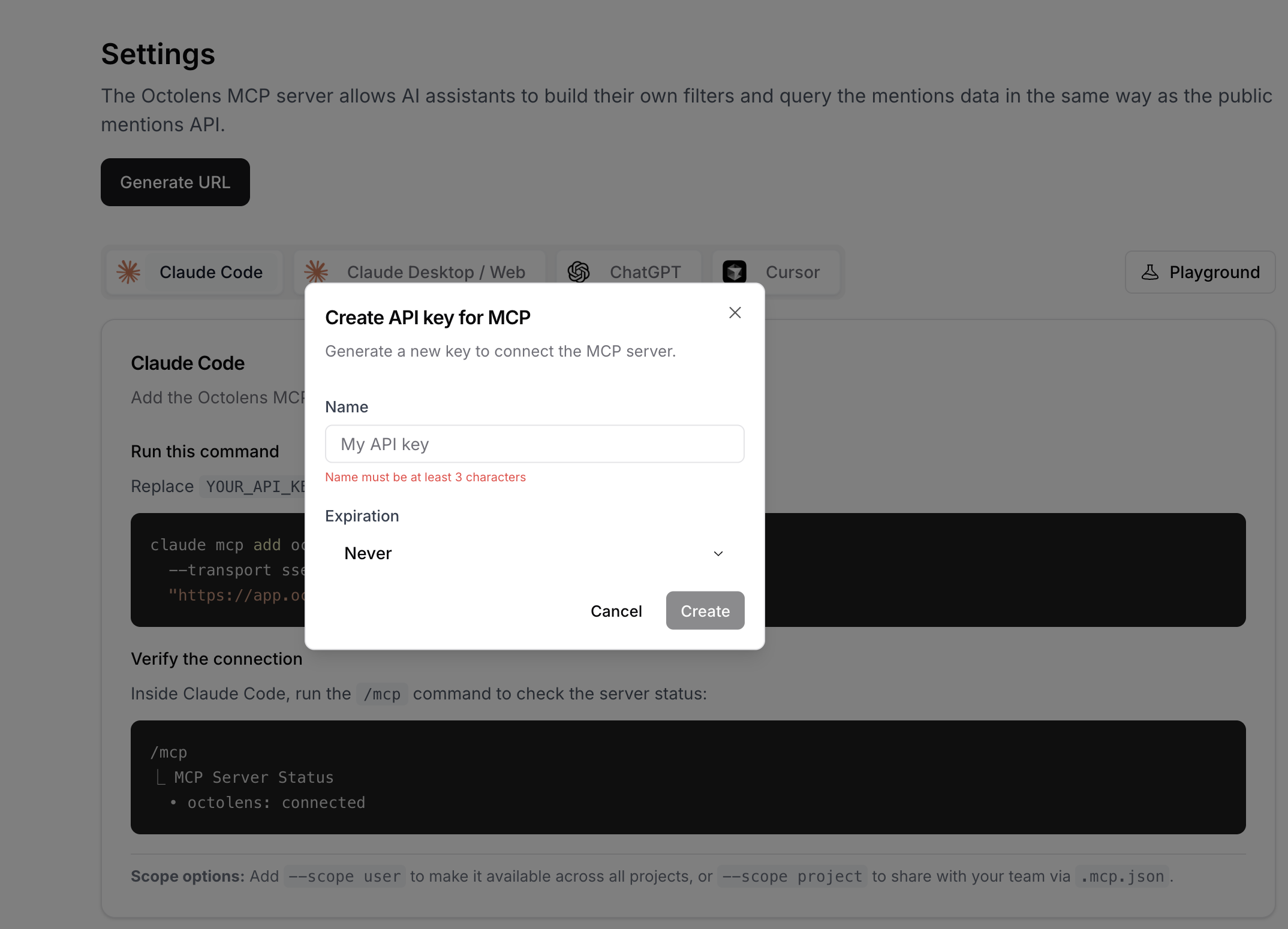
Generate MCP URL in Octolens settings

Setup Guides

Most popular AI tools support connecting to the remote MCP directly. Follow our step-by-step guides:

Terms of Use

The Octolens MCP server is intended for use with MCP-compatible AI clients (such as ChatGPT, Claude, and similar assistants) for interactive, AI-driven workflows. Not permitted: Using the MCP endpoint via custom scripts, bridges, or standalone HTTP/JSON-RPC clients is unsupported and not permitted. The MCP server is not a general-purpose programmatic API. For programmatic access: Use the Octolens API instead: API documentation